Create and edit cross stitch patterns.


| Name | CrossStitch Editor Pro |
|---|---|
| Publisher | Serjth |
| Genre | Paid |
| Size | 2.48 MB |
| Version | |
| Update | February 16, 2026 |
| Get it On | Play Store |
Preview
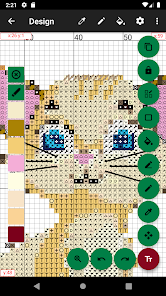
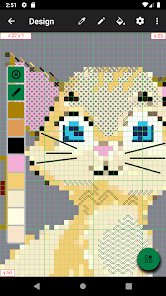
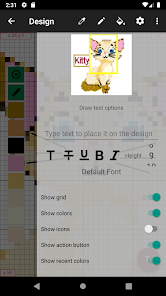


This tool allows you to create your own cross stitch pattern from image or create the blank one using popular flosses color palettes (DMC, Anchor, Gamma, Cosmo, J&P Coats, Madeira, Paterna, Silk Mori). You are also able to draw pixel art designs. You can edit pattern, add or delete colors, fill single stitches or areas, draw geometrical figures and lines, you are able to use backstitches and halfstitches. It is possible to control color visibility and mark completed areas to provide convinient stitching from your device screen. If you want to print created pattern, you are able to export it to image or pdf-file.
Features:
– Create cross stitch designs up to 9999 x 9999 in size and 256 colors.
– Create pixel art images up to 9999 x 9999 in size and 256 colors.
– Convert any image or its portion to cross stitch design.
– Full featured editor: stitch color change, edit stitch type, fill areas, drawing shapes and more.
– Add text to design.
– Copy and paste.
– Stitching from device screen.
– Color palette editing: color change, color icon change.
– Palettes supported: DMC, Anchor, Gamma, Cosmo, J&P Coats, Madeira, Paterna, Silk Mori, PixelArt16, PixelArt256.
– Pattern Maker for cross-stitch .xsd files import.
– Sorting the palette.
– Several modes for selecting colors.
– Several modes for color icons.
– Export design to images or pdf file.
Report

What's New
- Add Android 14 storage support.
- Fix possible inverted colors inside Design screen in dark mode.
- Fix possible crash when converting an image.
- Fix possible inverted colors inside Design screen in dark mode.
- Fix possible crash when converting an image.
Download CrossStitch Editor Pro
You are now ready to download CrossStitch Editor Pro for free. Here are some notes:
- Please check our installation guide.
- To check the CPU and GPU of Android device, please use CPU-Z app