Remote control your PC


| Name | GPP Remote Viewer |
|---|---|
| Publisher | GPP Soft |
| Genre | Communication |
| Size | 2.23 MB |
| Version | |
| Update | January 29, 2026 |
| Get it On | Play Store |
Preview


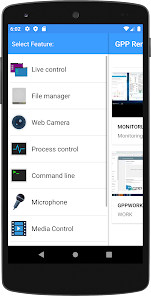
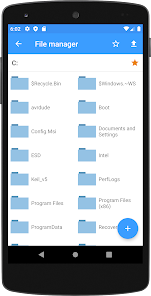

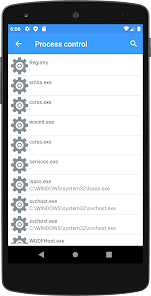
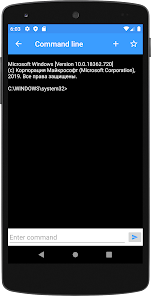

You are away from the desk, or the computer at home? You urgently need access to a file from it? This is the program for you! The program is designed for remote access to your computer. Wherever you are, your files are always with you. This program will automatically find your computer, and choose the best way to connect to it. You can copy, delete, download and upload files, and install Android apps from your pc in one click. You can watch the screen of your pc, send messages and more… This makes it the perfect app for parents monitoring their childrens computer usage, employers verifying employee activities and businessmen. The program is in constant development. With each new version comes new services, and new features. The program is easy to setup and install.
Key features:
1. Live control
2. Watching a computer screen
3. Webcam
4. Remote File Manager
5. Process control
6. Sending and receiving messages
7.Power Management
8. And others..
Website: http://www.gppsoft.com
Telegram: https://t.me/gpp_remote_viewer
E-mail: support@gppsoft.com
Report

What's New
- fixed a problem with sending and downloading files on Android >=13
- some optimizations
- some optimizations
Download GPP Remote Viewer
You are now ready to download GPP Remote Viewer for free. Here are some notes:
- Please check our installation guide.
- To check the CPU and GPU of Android device, please use CPU-Z app