One Player APK Download v1.7.4-foss (Latest Version) for Android
⬇ Download APK v1.7.4-fossIf you're looking for a versatile media solution, the One Player APK serves as an excellent offline player for both music and videos on your Android device. Designed with simplicity in mind, this native application offers a comprehensive range of features catering to various media formats.
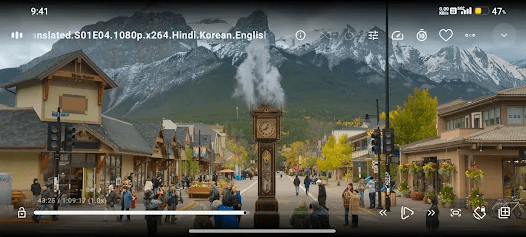
Table of Contents
About One Player APK
One Player is an all-in-one multimedia application that allows users to play both audio and video files directly from their Android devices. Built using Kotlin and Jetpack Compose, it aims to deliver a smooth and user-friendly experience. The app stands out for its local playback capabilities, making it ideal for users who prefer not to stream their media content.
Supporting an extensive list of audio and video formats, the app is designed to cater to diverse media consumption needs. From common formats like MP3 and MP4 to more advanced codecs, One Player ensures compatibility across various file types. This flexibility allows users to enjoy their media without worrying about compatibility issues, whether they're listening to music or watching videos.
The app is completely free, open-source, and devoid of ads, making it an attractive option for users looking for an uninterrupted experience. With features like playback speed control and the ability to set bookmarks while watching videos, the app enhances the overall user experience. It's particularly appealing for those who value privacy and simplicity in their media applications.
Key Features of One Player APK
- One Player offers a clean, easy-to-navigate interface that simplifies media playback for users.
- As an open-source project, it has no advertisements or unnecessary permissions, ensuring a smooth viewing experience.
- The app supports modern media formats such as AAC, H.265, and AV1, allowing users to enjoy high-quality audio and video.
- With the ability to select audio and subtitle tracks, it enhances accessibility for users who require specific language support.
- Its media picker provides flexibility with tree, folder, and file view modes, helping users organize their media efficiently.
- The vertical swiping feature allows for easy adjustments of brightness and volume during playback, further enhancing user convenience.
One Player APK Information
| App Name | One Player |
| Package | com.googol.android.apps.oneplayer |
| Version | 1.7.4-foss |
| Size | 11 MB |
| Requires | Android 9 and up |
| Category | Multimedia |
| Developer | Googol Apps |
| License | Apache-2.0 |
| Source | IzzyOnDroid |
| Last Updated | October 23, 2026 |
Download One Player APK v1.7.4-foss
How to Install One Player APK on Android
- Download the One Player APK file from a trusted source.
- Go to your device settings and allow installs from unknown sources.
- Locate the downloaded APK file and tap it to begin the installation.
- Once installed, find the app in your app drawer and open it to start using.
Pros and Cons
Pros
- Supports a wide range of audio and video formats, making it highly versatile.
- Completely ad-free and open-source, providing an uninterrupted user experience.
- Features like playback speed control and media bookmarking enhance functionality and ease of use.
Limitations
- Being an open-source project, users may encounter unfinished features as it is still under development.
- The app requires manual updates, which may be inconvenient for users preferring automatic upgrades.
Who Is This App For?
This app is ideal for anyone looking for a simple, reliable, and ad-free multimedia player. It suits users who enjoy downloading and playing their media offline without the hassle of streaming.
Looking for similar apps? Browse more Multimedia apps or see all Android apps on APK2GO.
Frequently Asked Questions
What types of media files does One Player support?
One Player supports a diverse range of audio formats such as MP3, AAC, and FLAC, as well as video formats including MP4 and H.265. This comprehensive support caters to a variety of user needs.
Is One Player completely free to use?
Yes, One Player is entirely free and open-source, ensuring that all users can enjoy the app without advertisements or hidden costs.
Where can I safely download the One Player APK?
You can download the One Player APK from trusted repositories like IzzyOnDroid and its official GitHub page, ensuring you obtain a safe version of the app.
Can I use One Player without an internet connection?
Absolutely! One Player is designed for offline use, allowing you to play your media files without needing a constant internet connection.
Does One Player allow subtitle support?
Yes, One Player includes support for various subtitle formats such as SRT and SSA, enabling users to enjoy content in different languages.
Official page: One Player official website / source