Vento VNC/RDP Client APK Download v8 (Latest Version) for Android
⬇ Download APK v8The Vento VNC/RDP Client APK is an efficient and user-friendly remote desktop solution designed for Android devices. This app allows users to effortlessly access their desktop environments from anywhere, making it a practical tool for those in need of remote connectivity.
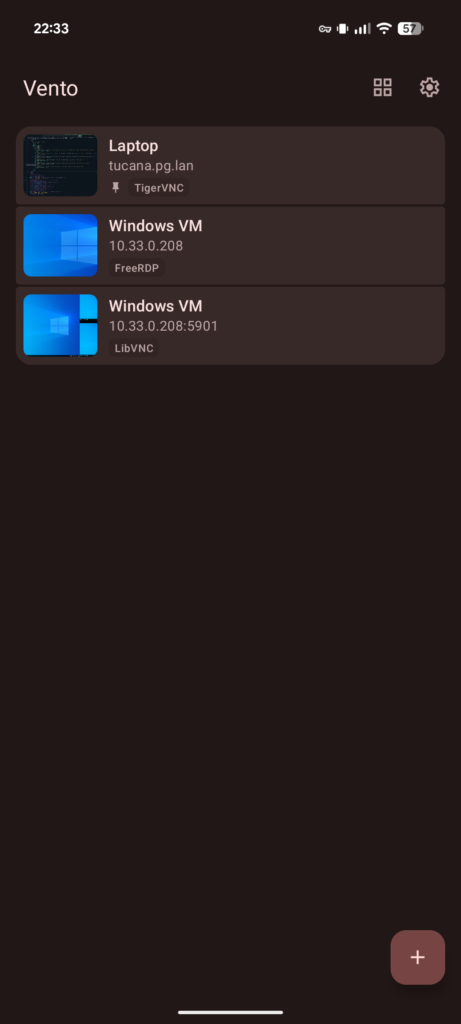
Table of Contents
About Vento VNC/RDP Client APK
The Vento VNC/RDP Client is an advanced application aimed at providing seamless remote desktop access on Android devices. Its intuitive controls enable users to easily navigate their desktops as if they were right in front of them. The app supports multiple remote desktop protocols, including VNC and RDP, catering to a wide array of user needs.
For individuals who require flexibility in accessing their workstations on-the-go, this app serves as an excellent solution. The versatility offered by multiple client backends allows users to connect with different servers, ensuring compatibility with various remote desktop setups. Whether you're working remotely or providing tech support, it enhances productivity and connectivity.
Equipped with features like multi-window support and hardware-accelerated video encoding, the app optimizes user experience significantly. It is particularly useful for professionals who need to juggle multiple tasks or manage virtual environments, ensuring that your desktop is just a tap away, no matter where you are.
Key Features of Vento VNC/RDP Client APK
- The app incorporates intuitive touchpad-style controls, enabling precise manipulation of the desktop interface directly from your mobile device.
- It offers accuracy assists which help improve precision through axis locking and adaptive acceleration during remote sessions.
- With a polished Material Design 3 interface, the app provides a modern and visually appealing user experience for easy navigation.
- Multi-window support allows users to interact with several applications simultaneously, enhancing productivity during remote sessions.
- The app supports physical keyboard and mouse inputs, providing a familiar desktop environment for users who prefer traditional controls.
- It includes hardware-accelerated H.264 support in certain backends like FreeRDP and TigerVNC, helping to deliver smoother video streaming over remote connections.
Vento VNC/RDP Client APK Information
| App Name | Vento VNC/RDP Client |
| Package | net.pgaskin.remotedesktop |
| Version | 8 |
| Size | 35 MB |
| Requires | Android 14 and up |
| Category | Connectivity |
| Developer | Patrick Gaskin |
| License | GPL-3.0-or-later |
| Source | F-Droid |
| Last Updated | October 31, 2026 |
Download Vento VNC/RDP Client APK v8
How to Install Vento VNC/RDP Client APK on Android
- Download the Vento VNC/RDP Client APK from a trusted source like F-Droid.
- Before installation, ensure you allow installations from unknown sources in your device’s settings.
- Once downloaded, tap on the APK file to initiate the installation process.
- After installation is complete, open the app from your app drawer and configure it according to your remote access needs.
Pros and Cons
Pros
- User-friendly interface with intuitive control options enhances navigational ease during remote sessions.
- Multi-backend support ensures compatibility with various remote desktop protocols, making it versatile for different user requirements.
- The app optimizes performance with features like hardware acceleration, resulting in smoother remote access experiences.
Limitations
- Users need to sideload the app as it may not be readily available on mainstream app stores.
- Manual updates may be required, making it less convenient compared to auto-update features found in other apps.
- Some users might find the documentation limited, posing challenges when troubleshooting or mastering its full functionality.
Who Is This App For?
This app is perfect for professionals, IT support staff, and anyone who frequently needs to access their desktop remotely. Its robust features cater well to both casual users and advanced settings.
Looking for similar apps? Browse more Connectivity apps or see all Android apps on APK2GO.
Frequently Asked Questions
What is the main purpose of the Vento VNC/RDP Client?
The Vento VNC/RDP Client allows users to remotely connect to and control their desktop environments from an Android device, enhancing flexibility and access.
Is the app free to use?
Yes, the app is available under the GPL-3.0-or-later license, meaning it can be downloaded and used without charge.
Where can I download the Vento VNC/RDP Client APK safely?
The app can be downloaded from reputable sources like F-Droid, which is known for providing open-source applications.
Can I use the app for personal and professional purposes?
Absolutely! The app is suitable for both personal and professional use, allowing individuals to securely access workstations or assist others remotely.
What should I do if I run into issues while using the app?
If you encounter issues, checking online forums or the app's project page can provide solutions. Also, ensuring you have the latest version may resolve many common problems.
Official page: Vento VNC/RDP Client official website / source