
OpenDocument Reader APK Download v4.23.0 (Latest Version) for Android
⬇ Download APK v4.23.0The OpenDocument Reader APK is an essential tool for anyone who uses LibreOffice or OpenOffice. This versatile document reader and editor allow users to view and edit Open Document Format files effortlessly, making it possible to handle important documents while on the move.
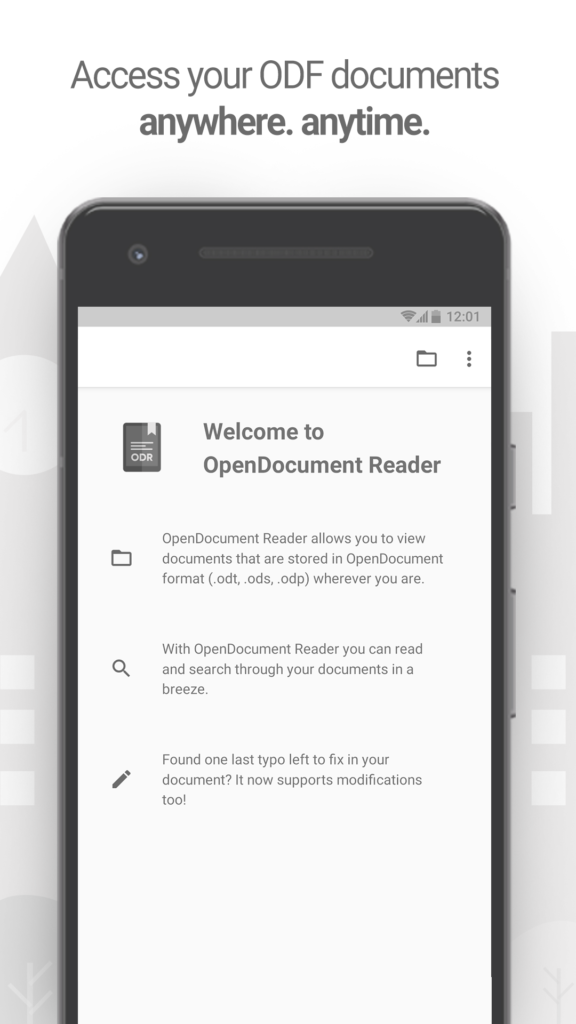
Table of Contents
About OpenDocument Reader APK
OpenDocument Reader serves as both a document viewer and editor that allows users to manage files created with popular office software such as LibreOffice and OpenOffice. Designed with mobility in mind, it makes it easy to open and edit files on smartphones or tablets, allowing users to tackle document-related tasks regardless of their location.
Whether you’re preparing for an exam with last-minute notes or need to fix typos in a work presentation, this app is equipped to help you engage with important documents anytime, anywhere. With its intuitive interface, users can quickly search through text, making it convenient to locate specific information within lengthy files.
Additionally, the app supports a variety of formats, including ODT and ODS, expanding its usability. It effortlessly integrates with popular cloud storage services like Google Drive and Dropbox, enabling users to access documents seamlessly from multiple platforms. This makes it ideal for students, professionals, and anyone who frequently works with ODF files.
Key Features of OpenDocument Reader APK
- The app allows users to open and interact with ODF files such as ODT (documents), ODS (spreadsheets), ODP (presentations), and ODG (graphic files), providing extensive compatibility with various file types.
- With its editing capabilities, users can easily correct spelling mistakes and modify spreadsheet data right from their mobile devices, ensuring they remain productive even on the go.
- Documents can be opened from various cloud services or directly from the device storage, making it versatile in terms of file retrieval and access.
- The app's interface is designed to be clean and straightforward, which enhances the user's ability to search and navigate documents efficiently without any hassle.
- By integrating the ability to work with files from common applications such as Gmail and Google Drive, it streamlines the process of accessing and editing documents.
- This document reader and editor stands out with its well-implemented editing features that enable users to modify their text and tables quickly and effectively, ultimately helping avoid delays in document completion.
OpenDocument Reader APK Information
| App Name | OpenDocument Reader |
| Package | at.tomtasche.reader |
| Version | 4.23.0 |
| Size | 39 MB |
| Requires | Android 8.0 and up |
| Category | Ebook Reader |
| Developer | Thomas Taschauer |
| License | GPL-3.0-or-later |
| Source | F-Droid |
| Last Updated | October 29, 2026 |
Download OpenDocument Reader APK v4.23.0
How to Install OpenDocument Reader APK on Android
- Download the OpenDocument Reader APK from a trusted source, ensuring you have the necessary permissions to install apps from unknown sources.
- Open your device's file manager and locate the downloaded APK file.
- Tap on the APK file and follow the prompts to begin installation.
- Once installed, go to your app drawer and open OpenDocument Reader to start managing your documents.
Pros and Cons
Pros
- The app supports multiple Open Document formats, making it highly versatile for users who work with various types of documents.
- Its user-friendly interface allows seamless navigation, ensuring that even beginners can use it without difficulty.
- Integration with various cloud services facilitates easy access to files, enabling users to work from different locations.
Limitations
- The app may require manual updates since it's not available on mainstream app stores.
- Being an APK installation means users need to enable options for unknown sources, which may pose risks if not handled carefully.
Who Is This App For?
OpenDocument Reader is suitable for anyone who frequently works with LibreOffice or OpenOffice files, including students, professionals, and casual users who need document editing functionality on their mobile devices.
Looking for similar apps? Browse more Ebook Reader apps or see all Android apps on APK2GO.
Frequently Asked Questions
What is OpenDocument Reader used for?
OpenDocument Reader is designed to view and edit files created with LibreOffice and OpenOffice, specifically in the Open Document Format. It allows users to access and modify their documents from anywhere.
Is it free to use?
Yes, OpenDocument Reader is free to download and use, making it an accessible option for users needing document management on mobile devices.
Is OpenDocument Reader APK safe to install?
As long as you download the APK from a trusted source, it should be safe to install. Always ensure you have up-to-date security measures on your device.
Can I access documents from cloud storage?
Yes, the app integrates with popular cloud storage services like Google Drive, Dropbox, and others, allowing you to easily access documents stored remotely.
How can I edit my documents with OpenDocument Reader?
After opening a document within the app, you can correct typos or make other changes directly through its editing features, allowing for quick modifications on the go.
Official page: OpenDocument Reader official website / source