GeoWeather APK Download v4.7.3 (Latest Version) for Android
⬇ Download APK v4.7.3The GeoWeather APK is a modern weather application that prioritizes privacy while delivering accurate forecasts for multiple locations. Designed with an intuitive interface, this app allows users to track weather conditions seamlessly across various cities.
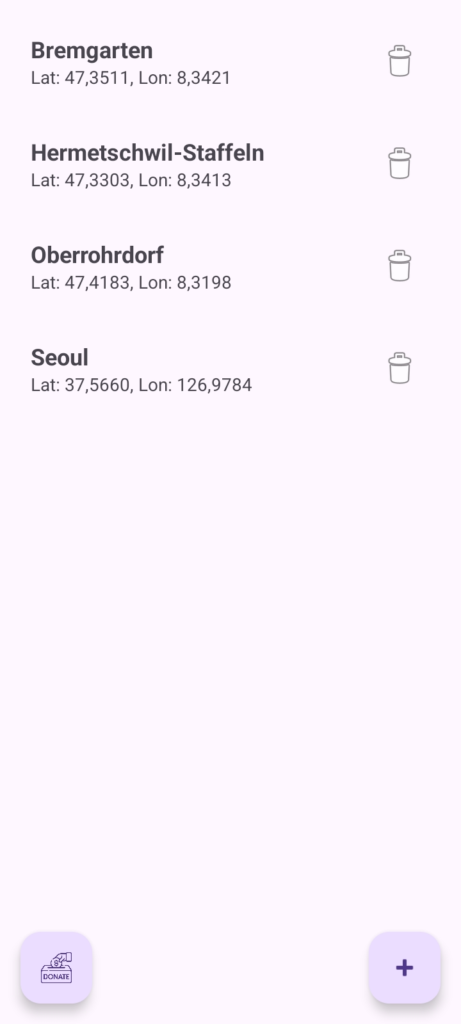
Table of Contents
About GeoWeather APK
GeoWeather is a dynamic weather app that offers a detailed 16-day forecast, ensuring that users can plan their activities with confidence. By supporting multiple cities, the app provides real-time weather data for travelers or anyone who needs to stay informed about conditions in different locations.
With a focus on user experience, the app incorporates a Material You design, making it visually appealing and easy to navigate. Whether you need to check the forecast for your hometown or another city, switching between locations is quick and intuitive, enhancing the overall usability.
Beyond basic weather updates, GeoWeather enriches user experience with additional features like air quality monitoring and UV index levels. This makes it particularly useful for individuals who engage in outdoor activities, as it provides essential insights into safety conditions for jogging, gardening, or other outdoor pursuits.
Key Features of GeoWeather APK
- Users can easily add unlimited cities to their favorites, allowing for quick access to weather updates for all preferred locations with just a tap.
- The app offers an advanced 16-day weather forecast, including detailed trend charts for temperature and precipitation over a 24-hour period.
- GeoWeather includes technical data such as wind speed, gusts, humidity, and a wind compass for tracking direction and strength, enhancing the user's understanding of weather conditions.
- An integrated barometer provides three-hour pressure trends while also showing visibility and cloud base height, keeping users well-informed about atmospheric conditions.
- Health enthusiasts can benefit from features like UV index readings, air pollutant information, and pollen counts to assess outdoor conditions and plan their activities safely.
- Photographers will find a graphical Moon phase display and calculations for the golden hour and blue hour particularly helpful for capturing stunning images.
GeoWeather APK Information
| App Name | GeoWeather |
| Package | com.freetime.geoweather |
| Version | 4.7.3 |
| Size | 24 MB |
| Requires | Android 8.0 and up |
| Category | Weather |
| Developer | Freetime Maker |
| License | Apache-2.0 |
| Source | F-Droid |
| Last Updated | November 6, 2026 |
Download GeoWeather APK v4.7.3
How to Install GeoWeather APK on Android
- Enable installs from unknown sources in your Android settings.
- Download the GeoWeather APK from a trusted repository, such as F-Droid.
- Locate and tap the downloaded APK file on your device.
- Follow the prompts to install the app, then open it from your app drawer.
Pros and Cons
Pros
- The user-friendly interface simplifies navigation and enhances the overall experience.
- Diverse features ensure comprehensive weather updates, including health and environmental insights.
- Customization options allow users to tailor the app to their preferences, optimizing their weather tracking experience.
Limitations
- The app may require manual updates, as it primarily relies on sideloading the APK from a repository.
- While detailed, some users might find the app lacks advanced alerts or notifications for severe weather.
Who Is This App For?
GeoWeather is ideal for anyone looking for a reliable weather app that combines user-friendly design with detailed forecasts, particularly outdoor enthusiasts and travelers.
Looking for similar apps? Browse more Weather apps or see all Android apps on APK2GO.
Frequently Asked Questions
What does GeoWeather do?
GeoWeather provides weather forecasts for multiple cities, including a 16-day outlook, temperature trends, humidity, and more, catering to various user needs.
Is GeoWeather free to use?
Yes, GeoWeather is free to download and use, making it accessible for anyone looking for a solid weather application.
Is GeoWeather safe to download?
GeoWeather can be safely downloaded from known repositories like F-Droid. Always ensure that you download from reputable sites to prevent security risks.
How do I customize GeoWeather?
Customization in GeoWeather allows users to select their preferred cities, set up shortcuts, and choose specific features to display based on personal preferences.
Can I view the UV index in GeoWeather?
Yes, GeoWeather includes a feature that details the UV index with color-coded levels, helping users to make informed decisions about outdoor activities.
Official page: GeoWeather official website / source