CajuScan APK Download v1.0.10 (Latest Version) for Android
⬇ Download APK v1.0.10The CajuScan APK is designed to streamline the process of recording expenses in Portugal. This innovative application allows users to effortlessly scan QR codes on invoices, enhancing financial management tasks.
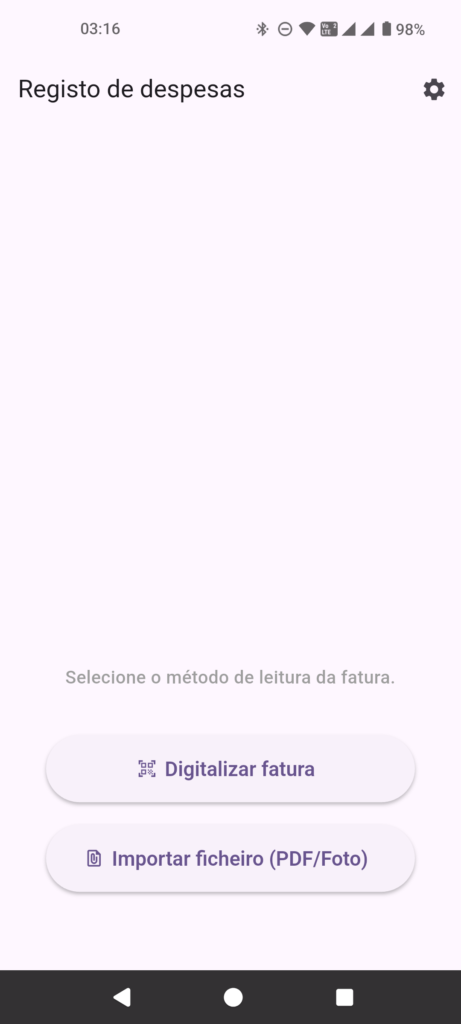
Table of Contents
About CajuScan APK
CajuScan is a mobile application specifically tailored for users in Portugal who wish to simplify their expense tracking processes. By using the app, individuals can scan the ATCUD QR codes found on Portuguese invoices and automatically extract vital transaction details. This greatly reduces the need for manual entry and minimizes potential errors in accounting.
The app is integrated with the Cashew financial management platform, allowing users to send scanned data directly to it, ensuring efficient organization of expenses. This integration simplifies monitoring spending patterns and helps with budgeting. Users can experience a seamless financial management experience, making sure all expenses are accurately recorded and easily accessible.
CajuScan is developed with a strong commitment to privacy, adhering to essential security standards. Its open-source nature encourages user contributions, fostering a supportive community for continuous improvement. With no tracking or ads involved, users can trust that their data is handled responsibly and securely.
Key Features of CajuScan APK
- Users can scan ATCUD QR codes directly from Portuguese invoices, allowing a quick and convenient way to gather transaction information.
- The app automatically extracts essential data, such as the amount spent, date of the transaction, and vendor details, eliminating the potential for manual error.
- CajuScan's integration with the Cashew app means that all scanned data is seamlessly transferred for financial management and tracking.
- Designed with a user-friendly interface, the app focuses on simplicity, ensuring that users can navigate it easily without unnecessary complications.
- With no advertisements cluttering the experience, CajuScan prioritizes the user's focus on managing finances effectively.
- As an open-source project, CajuScan invites developers and users to contribute to its development, promoting a collaborative environment for enhancement.
CajuScan APK Information
| App Name | CajuScan |
| Package | com.marotoweb.cajuscan_app |
| Version | 1.0.10 |
| Size | 23 MB |
| Requires | Android 7.0 and up |
| Category | Finance Manager |
| Developer | Roberto Cc |
| License | MIT |
| Source | F-Droid |
| Last Updated | November 4, 2026 |
How to Install CajuScan APK on Android
- Download the CajuScan APK from a trustworthy source like F-Droid.
- Before installation, enable the option to install apps from unknown sources in your device settings.
- Tap on the downloaded APK file to initiate the installation process.
- Once installed, open the app to begin scanning invoices and managing your expenses.
Pros and Cons
Pros
- The app simplifies the tedious task of manual expense entry, making financial tracking much more efficient.
- By integrating with Cashew, CajuScan ensures that users have a holistic view of their financial activities.
- Its commitment to user privacy means no tracking or data sharing with third parties, ensuring a secure user experience.
Limitations
- Since it needs to be sideloaded, CajuScan may not receive automatic updates like apps from the official Play Store.
- The app is limited to users in Portugal due to its specific functionality focused on local invoices.
Who Is This App For?
CajuScan is ideal for individuals and small business owners in Portugal looking to enhance their expense tracking without the hassle of manual data entry.
Looking for similar apps? Browse more Finance Manager apps or see all Android apps on APK2GO.
Frequently Asked Questions
What does CajuScan do?
CajuScan helps users record invoices by scanning QR codes on Portuguese invoices, extracting transaction details for efficient expense management.
Is CajuScan free to use?
Yes, the application is open-source, allowing users to download and utilize it without any cost.
Is CajuScan safe to use?
CajuScan is developed with privacy in mind, featuring no tracking mechanisms and no advertisements, ensuring a secure experience for users.
How do I use CajuScan effectively?
To use CajuScan, simply open the app, scan the QR code on your invoice, and let it automatically extract the transaction details for financial tracking.
Where can I download CajuScan?
You can download CajuScan APK from F-Droid or other reliable sources. Make sure to allow installations from unknown sources when downloading.
Official page: CajuScan official website / source