
Password Store APK Download v2.1.0 (Latest Version) for Android
⬇ Download APK v2.1.0Password Store APK is an essential tool for managing your passwords and passkeys efficiently. With the increasing number of online services requiring secure logins, having a reliable password management solution becomes critical for both security and convenience.
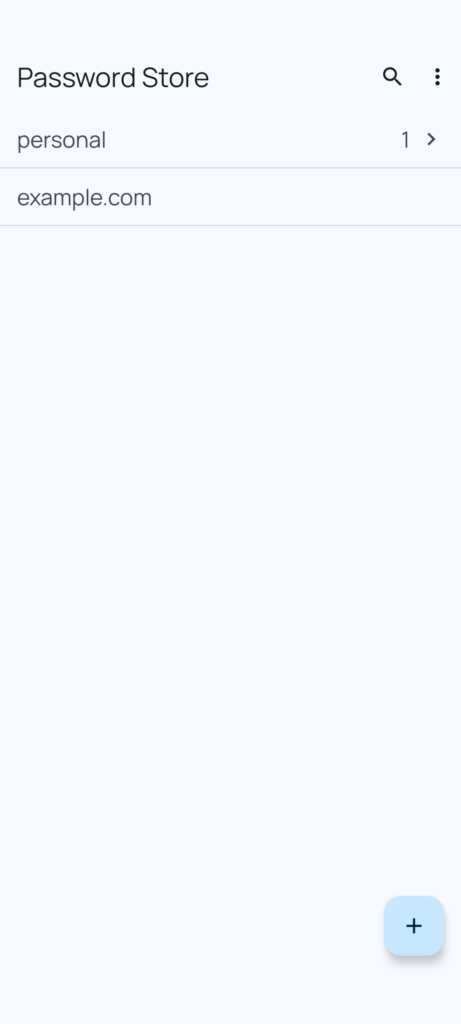
Table of Contents
About Password Store APK
This app serves as a password and passkey manager, allowing users to securely store credentials in encrypted text files. It is particularly compatible with ZX2C4's Pass command line application, making it a valuable option for users familiar with command line interfaces. Its functionality extends to viewing, adding, and editing password entries with ease, providing both flexibility and control over your sensitive information.
Users can set up the app to support time-based one-time passwords (TOTP), which are vital for two-factor authentication. This feature enhances security by requiring users to enter a dynamic code along with their password, making unauthorized access significantly more challenging. The app ensures that account credentials are not just stored securely but also easily accessible when needed.
Automatically filling and saving credentials directly into supported apps and browsers is another key feature of this app. This eliminates the hassle of manually entering passwords and enhances the overall user experience. Furthermore, it responds effectively to passkey creation and authentication requests, ensuring that the user can integrate seamlessly with modern authentication protocols.
Key Features of Password Store APK
- The app allows for cloning from and syncing with a remote Pass Git repository, providing users with a flexible way to manage their password files across multiple devices.
- It offers comprehensive capabilities for viewing, adding, and editing password entries, giving users complete control over their password management.
- Time-based one-time password (TOTP) support is incorporated, making it compliant with two-step authentication methods for improved account security.
- The combination of automatic credential filling and saving in apps and supported browsers enhances the user experience by streamlining login processes.
- It is capable of responding to passkey creation and authentication requests, which is essential for modern browsing and application interactions.
- All credentials stored within the app are secured using OpenPGP encryption, ensuring that sensitive information remains protected from unauthorized access.
Password Store APK Information
| App Name | Password Store |
| Package | app.passwordstore.agrahn |
| Version | 2.1.0 |
| Size | 7 MB |
| Requires | Android 8.0 and up |
| Category | Password & 2FA |
| Developer | Alexander Grahn |
| License | GPL-3.0-only |
| Source | F-Droid |
| Last Updated | November 13, 2026 |
Download Password Store APK v2.1.0
How to Install Password Store APK on Android
- Download the Password Store APK from the source repository.
- Go to your device settings and allow installations from unknown sources.
- Locate and tap the downloaded APK file to initiate the installation.
- Follow the prompts to complete the installation process.
- Open the app to start managing your passwords securely.
Pros and Cons
Pros
- User-friendly interface that simplifies password management for individuals with varying technical skills.
- Strong encryption standards ensure the safety of stored passwords and passkeys.
- Support for integrating with various applications and browsers increases efficiency while browsing or using apps.
Limitations
- The app may require manual updates, necessitating users to keep track of new features and security improvements.
- Users have to sideload the app since it may not be available on traditional app store platforms.
- Limited features might not meet the advanced needs of users seeking specialized password management solutions.
Who Is This App For?
This app is ideal for individuals looking for a secure and flexible way to manage multiple passwords and authentication keys. It is particularly suitable for those who prefer command line tools and need integration with advanced password protocols.
Looking for similar apps? Browse more Password & 2FA apps or see all Android apps on APK2GO.
Frequently Asked Questions
What does Password Store do?
Password Store is a password and passkey manager that allows users to securely store, edit, and manage their login credentials using encrypted text files.
Is Password Store free to use?
Yes, the app is free to use as it is distributed under the GPL-3.0-only license, allowing users to access all features without any cost.
Is the app safe and where does the file come from?
The app uses OpenPGP encryption for securing your credentials, making it safe to use. The APK file can be downloaded from its source repository, ensuring authenticity.
How do I use Password Store for enhanced security?
To enhance security, you can utilize the two-factor authentication feature that supports time-based one-time passwords (TOTP), adding an extra layer of protection.
Can I sync my passwords across multiple devices?
Yes, the app allows you to clone and sync your credentials with a remote Pass Git repository, enabling seamless access across different devices.
Official page: Password Store official website / source