
KeePassVault APK Download v2.2.0 (Latest Version) for Android
⬇ Download APK v2.2.0The KeePassVault APK is a handy client application designed for managing KeePass databases effectively. Ideal for personal use, this app offers a variety of features aimed at enhancing your password management experience. With its advanced functionalities, it can simplify the complexities of securing your credentials.
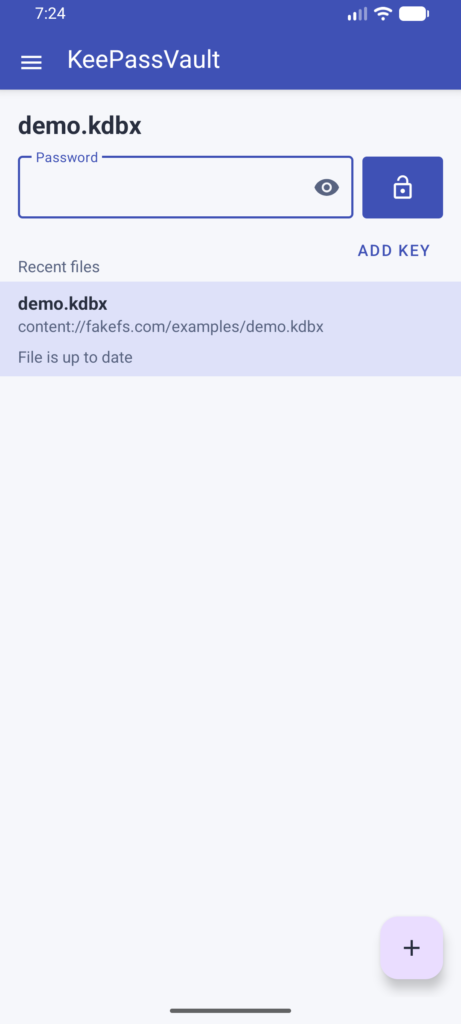
Table of Contents
About KeePassVault APK
KeePassVault serves as a robust client application tailored specifically for KeePass databases. It gives users a streamlined way to create, edit, and manage their password databases effectively. Users can enjoy a secure environment to store sensitive information thanks to its integration of security features like biometric unlock options and two-factor authentication support.
The app is primarily targeted for personal use but is versatile enough for anyone looking to enhance their password management practices. With capabilities such as synchronization with WebDav servers and Git repositories, it elegantly takes care of ensuring that your databases remain up-to-date across multiple devices, making it easier to access your stored data when needed.
Users can also benefit from the app's file compatibility with .kdbx files, allowing seamless management of their password entries. The convenience features, like autofill and a dark theme, cater to different user preferences, enhancing the overall user experience. It is particularly valuable for individuals who seek to bolster their online security while accessing their passwords on the go.
Key Features of KeePassVault APK
- Synchronization with WebDav servers and Git repositories enables users to effortlessly keep their databases up-to-date while resolving any conflicts by checking local and remote changes.
- The advanced database management tools allow users to create new databases, edit existing ones, and even manage entry histories and attachments for maximum organization.
- Incorporating advanced functions like a built-in diff viewer lets users track changes made to their databases over time, ensuring they always know what modifications were introduced.
- For enhanced security, the app supports two-factor authentication using TOTP and HOTP methods, adding an extra layer of protection to your sensitive data.
- Users can unlock their databases through passwords or key files, including biometric methods such as fingerprint authentication, providing both flexibility and security.
- The app’s user convenience features include support for autofill on devices running Android 8.0 and higher, along with a customizable dark theme influenced by system settings.
KeePassVault APK Information
| App Name | KeePassVault |
| Package | com.ivanovsky.passnotes |
| Version | 2.2.0 |
| Size | 30 MB |
| Requires | Android 8.0 and up |
| Category | Password & 2FA |
| Developer | Aleksey Ivanovsky |
| License | Apache-2.0 |
| Source | F-Droid |
| Last Updated | November 23, 2026 |
Download KeePassVault APK v2.2.0
How to Install KeePassVault APK on Android
- Download the KeePassVault APK file from a trusted source, such as its project page on GitHub.
- Before installation, go to your device's settings and allow installations from unknown sources.
- Once downloaded, tap the APK file to begin the installation process.
- Follow the on-screen instructions to complete the installation.
- Open the app and start managing your KeePass databases securely.
Pros and Cons
Pros
- Designed specifically for KeePass databases, making it highly compatible and efficient.
- Offers advanced security features, ensuring that sensitive data remains protected with multiple authentication methods.
- User-friendly with features like autofill and a customizable dark theme, enhancing overall accessibility and comfort.
Limitations
- May contain bugs, necessitating users to create backups before fully relying on the app for their password management.
- Limited details are provided about updates or potential issues, which can lead to uncertainty for some users.
- Sideloading the app is required, as it is not commonly found in mainstream app stores.
Who Is This App For?
KeePassVault is particularly well-suited for individuals seeking an efficient and secure method for managing their passwords. It is ideal for tech-savvy users who are comfortable with side-loading apps and value advanced features.
Looking for similar apps? Browse more Password & 2FA apps or see all Android apps on APK2GO.
Frequently Asked Questions
What does the app do?
KeePassVault is a client application designed for managing KeePass databases, enabling users to create, edit, and synchronize their password entries securely.
Is the app free to use?
Yes, KeePassVault is available for free and is distributed under the Apache 2.0 license, making it accessible for anyone interested in password management.
Is my data safe with this app?
The app includes various security features such as two-factor authentication and biometric unlock options, helping to ensure the safety of your sensitive information.
Where can I download the KeePassVault APK?
You can download the KeePassVault APK file from its GitHub project page or other reputable sources that host APK files.
How can I backup my databases before using the app?
It's advisable to export your KeePass databases to a secure location on your device or cloud storage, ensuring you have a copy before transitioning to the app.
Official page: KeePassVault official website / source