
Sepia APK Download v0.9.0 (Latest Version) for Android
⬇ Download APK v0.9.0The Sepia APK is an essential tool for anyone who wishes to share images while maintaining privacy and security. This innovative app allows users to x-ray, redact, and ensure their files are free from unwanted information before sharing, significantly enhancing user control over personal data.
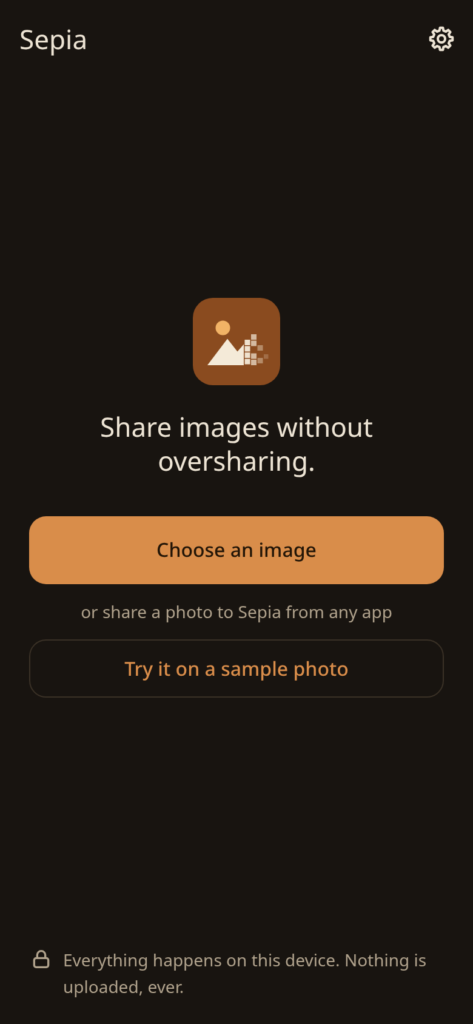
Table of Contents
About Sepia APK
In our digital age, images and screenshots convey more information than one might assume. Often, they can reveal details about your location, device, or even retain unwanted data hidden in the background. Sepia helps users mitigate these risks by preparing files for sharing in a secure manner. It serves as an important step before hitting send, allowing individuals to protect their privacy effectively.
The app operates entirely on your device, meaning that it does not require an internet connection, which greatly enhances privacy. By not asking for any internet permissions, Sepia ensures that data remains within the confines of the user's device. This local handling of files empowers users to keep their sensitive information secure and free from external interference.
Perfect for anyone wanting to safeguard their personal data, the application is designed to be user-friendly while providing robust features. Whether you are sharing images with friends, family, or on social media, Sepia offers a straightforward way to verify that only the information you want to share is presented, making it ideal for everyday use.
Key Features of Sepia APK
- With the X-ray feature, users can inspect the metadata of photos, specifically identifying sensitive information like GPS location or hidden thumbnail images before sharing.
- The app offers advanced redaction capabilities, allowing users to permanently ink or pixelate sensitive details in their images, along with options to crop them as needed.
- When exporting images, Sepia re-encodes files from scratch, providing an additional layer of assurance by letting users see exactly what data is included in the final output.
- The application employs QR code detection to help users identify and mask any encoded data, enhancing security when sharing images that may have such information.
- Sepia is developed with a commitment to user privacy; it requires no accounts, analytics, or dependencies, making it a straightforward choice for privacy-conscious individuals.
- By running entirely on devices with Android 9 and up, Sepia maintains efficiency and functionality while prioritizing the security of your personal information.
Sepia APK Information
| App Name | Sepia |
| Package | io.github.munzzyy.sepia |
| Version | 0.9.0 |
| Size | 634 KB |
| Requires | Android 9 and up |
| Category | Graphics |
| Developer | Munzzyy |
| License | GPL-3.0-or-later |
| Source | F-Droid |
| Last Updated | November 20, 2026 |
How to Install Sepia APK on Android
- Download the Sepia APK from the official F-Droid source.
- Allow installs from unknown sources by adjusting your device settings to permit apps outside the Play Store.
- Tap the downloaded APK file in your notifications or file manager to initiate installation.
- Follow the on-screen instructions to complete the installation process.
- Open the app and begin protecting your images with ease.
Pros and Cons
Pros
- Offers an effective way to control what information is shared in images, enhancing privacy.
- Completely operates offline, ensuring no data is transmitted over the internet.
- User-friendly interface that simplifies the process of editing and verifying images before sharing.
- No accounts or analytics collect user data, giving individuals greater peace of mind regarding their privacy.
Limitations
- Requires manual updates, as it is not available on mainstream app stores.
- Users may need to sideload the app, which could be a hurdle for those unfamiliar with this process.
- Limited features compared to larger image editing apps, focusing primarily on privacy and security.
Who Is This App For?
Sepia suits users who prioritize privacy in their digital communications and wish to share images without revealing potentially sensitive information. It’s particularly good for those who are security-conscious and want to manage their digital footprint effectively.
Looking for similar apps? Browse more Graphics apps or see all Android apps on APK2GO.
Frequently Asked Questions
What does Sepia do?
Sepia is designed to help users share images safely by allowing them to view metadata, redact sensitive information, and ensure that only the desired details are included before sending files.
Is Sepia free to use?
Yes, Sepia is a free application available through F-Droid, providing essential privacy features without any hidden costs or subscriptions.
Is Sepia safe to use?
The app is safe as it doesn't require an internet connection and does not store or collect any user information, ensuring complete privacy while managing your images.
Where can I download Sepia?
You can download Sepia from the official F-Droid repository, where it is hosted as an open-source application for Android users.
How does Sepia help with image sharing?
Sepia helps enhance image sharing by allowing users to check for and redact sensitive metadata, ensuring that personal information is not exposed when sending pictures or screenshots.
Official page: Sepia official website / source