
SSHBorg APK Download v1.22.0 (Latest Version) for Android
⬇ Download APK v1.22.0The SSHBorg APK serves as a robust tool for managing SSH and SFTP connections on Android devices. Catering to users who require a secure way to handle servers, this app promises an ad-free experience and prioritizes user privacy and security.
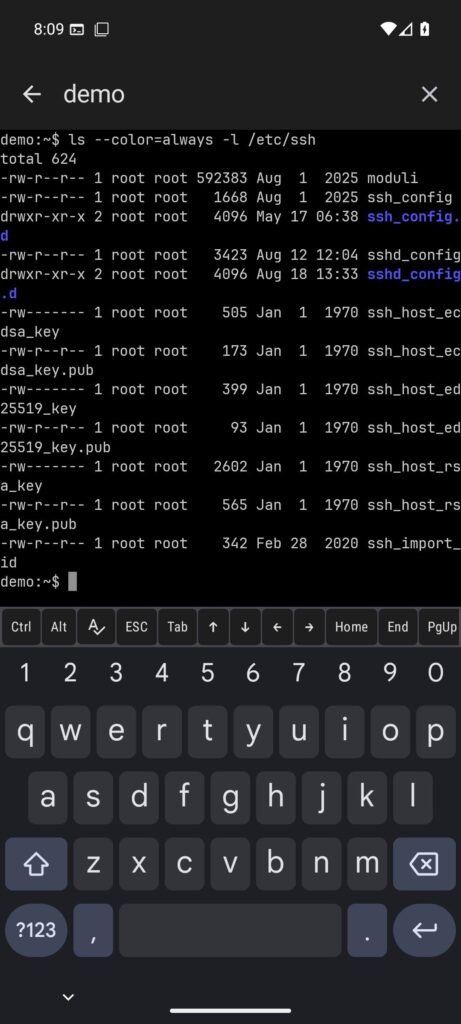
Table of Contents
About SSHBorg APK
SSHBorg is designed for individuals who need to manage servers securely from their Android devices. As an SSH and SFTP client, it empowers users to execute commands and handle files remotely. Whether you're a developer, system administrator, or tech enthusiast, this app simplifies server management without the need for complex setups.
What sets SSHBorg apart from other apps is its focus on security and ease of use. By featuring key authentication and encrypted storage, users can rest assured that their sensitive data remains protected. Biometric locking enables additional layers of security, allowing quick access when necessary without compromising safety.
The app accommodates a multilingual audience, making it accessible to users across the globe. With support for various themes and seamless handling of multiple sessions, it adapts to various preferences and work styles. Those looking for a trustworthy app to manage their remote access solutions will find SSHBorg particularly appealing.
Key Features of SSHBorg APK
- The app provides a full SSH terminal experience, enabling interactive terminal sessions complete with VT100/xterm emulation and robust UTF-8 support.
- Users benefit from Mosh support, allowing terminal sessions to endure changes in network connectivity or device sleep mode without data loss.
- With its integrated SFTP file manager, the app allows users to effortlessly browse, upload, download, rename, and delete files on their servers.
- SSHBorg enables SSH key generation directly on the device for Ed25519, ECDSA, and RSA keys, eliminating the use of traditional passwords for authentication.
- The app facilitates jump host connections through multiple bastion hosts with complete SSH agent forwarding, ensuring flexibility and connectivity.
- To enhance security, the app employs a biometric lock feature, granting access through fingerprint or face recognition, with a configurable timeout for convenience.
SSHBorg APK Information
| App Name | SSHBorg |
| Package | com.sshborg |
| Version | 1.22.0 |
| Size | 15 MB |
| Requires | Android 9 and up |
| Category | Remote Access |
| Developer | payne1982 |
| License | GPL-3.0-only |
| Source | F-Droid |
| Last Updated | November 20, 2026 |
How to Install SSHBorg APK on Android
- Download the SSHBorg APK file from a trusted source, such as the F-Droid repository.
- Enable installations from unknown sources in your device's security settings.
- Locate the downloaded APK file and tap on it to initiate the installation process.
- Once installed, open the app from your app drawer to start managing your servers.
Pros and Cons
Pros
- Offers a comprehensive feature set for secure server management, combining SSH and SFTP capabilities.
- Implements strong security measures, such as encrypted storage and biometric locks.
- Provides a user-friendly interface that is customizable with various themes and multi-session support.
Limitations
- The app requires sideloading, which may not be familiar to all users and could lead to security concerns if not done carefully.
- Some features, like biometric unlocking, may not work on all devices depending on hardware support.
- Manual updates may be needed since the app is not available through traditional app stores, requiring users to keep track of new versions.
Who Is This App For?
SSHBorg is ideal for users needing secure, remote server management, including developers and IT professionals who frequently work with servers while on the go.
Looking for similar apps? Browse more Remote Access apps or see all Android apps on APK2GO.
Frequently Asked Questions
What is SSHBorg used for?
SSHBorg is an SSH and SFTP client that allows users to manage remote servers securely from their Android devices. It provides functionalities such as file transfers and terminal access with various security features.
Is SSHBorg free to use?
Yes, SSHBorg is available for free. It operates under the GPL-3.0-only license, which allows users to utilize and modify the app without any cost.
Is SSHBorg a safe app?
The app prioritizes user privacy by not tracking or displaying ads, but as with any app, it's crucial to download it from reputable sources to ensure safety.
How do I use the file manager feature?
You can access the SFTP file manager within the app to browse, upload, download, and manage files on your remote server easily. The interface is designed to be intuitive, streamlining these processes.
What security features does SSHBorg offer?
SSHBorg features strong security measures, including key authentication processes, encrypted storage, and biometric locks, ensuring that your server management activities remain secure.
Official page: SSHBorg official website / source