
Keyholm APK Download v0.1.0 (Latest Version) for Android
⬇ Download APK v0.1.0The Keyholm APK is an innovative application designed for managing single-device passkeys securely. This app leverages secure hardware to protect client-side discoverable credentials, ensuring enhanced security for your digital interactions.
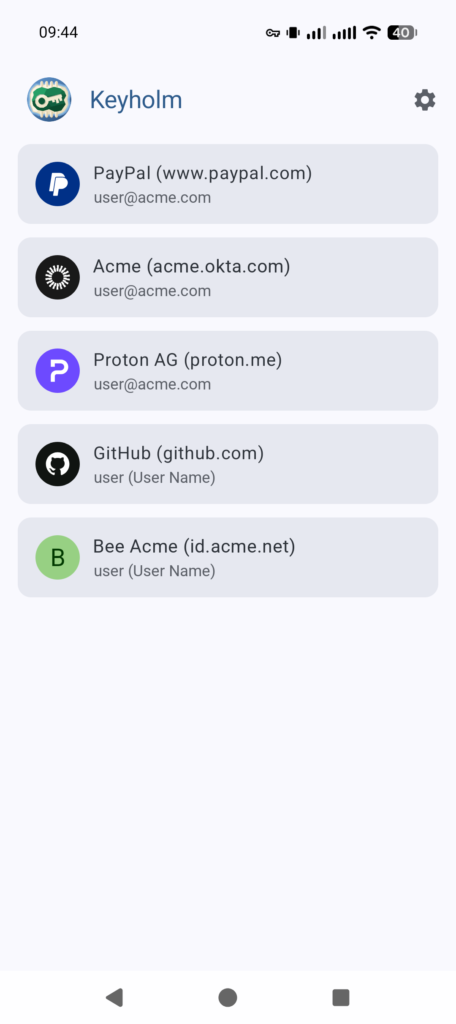
Table of Contents
About Keyholm APK
Keyholm focuses on providing users with single-device passkeys that are encapsulated within secure hardware environments. By ensuring that the private keys associated with these credentials are never exportable or syncable, the app significantly reduces the potential attack surfaces associated with online security vulnerabilities. It offers a unique way to interact with your device's built-in security features effectively.
The mechanisms behind Keyholm center around creating robust security measures tailored for smartphones, specifically those equipped with secure hardware. Users of devices such as Pixel series phones can benefit from the security keys pre-installed in their devices. This app helps activate and utilize those security keys, streamlining the management of digital credentials without unnecessary complexities often seen in other applications.
Designed with a user-centric approach, Keyholm enables extensive control over the creation and management of credentials. While it supports advanced cryptographic algorithms, it maintains a focus on user privacy by not requiring internet access. This feature is particularly appealing for individuals searching for a secure and efficient method to handle sensitive authentication in their daily online experiences.
Key Features of Keyholm APK
- The app operates without an internet connection, ensuring that your credentials remain private and secure at all times.
- Keyholm employs advanced cryptographic algorithms, including ES256, Ed25519, and even a post-quantum option with ML-DSA, ensuring strong security tailored for the modern digital landscape.
- It supports extensive control over credential creation, enabling users to tailor their security needs without unnecessary restrictions imposed by third-party applications.
- Keyholm allows users to import and export account lists, which makes it somewhat easier to transition to a new device, although keys must be manually recreated.
- The application utilizes QUERY_ALL_PACKAGES to display icons for apps that have been denied permission to use passkeys, enhancing user interaction.
- By leveraging Android's latest features, Keyholm maximizes performance while adhering to the highest security standards demanded by contemporary devices.
Keyholm APK Information
| App Name | Keyholm |
| Package | app.keyholm |
| Version | 0.1.0 |
| Size | 4 MB |
| Requires | Android 15 and up |
| Category | Password & 2FA |
| Developer | michaelbeaumont |
| License | GPL-3.0-only |
| Source | F-Droid |
| Last Updated | October 31, 2026 |
How to Install Keyholm APK on Android
- Navigate to a trusted source like F-Droid to download the Keyholm APK file.
- Go to your device settings and enable installations from unknown sources to allow the app to be installed.
- Once the download is complete, locate the APK file in your device's file manager and tap on it to initiate the installation.
- After installation, locate and open the app from your app drawer to start managing your passkeys.
Pros and Cons
Pros
- Keyholm ensures that private keys for passkeys are securely stored and not exportable, enhancing user privacy.
- The inclusion of multiple robust cryptographic algorithms caters to a wide range of security needs and preferences.
- The app's offline functionality means users do not need to be connected to the internet for credential management, providing additional layers of security.
Limitations
- Due to its reliance on secure hardware, users may find that not all smartphones are compatible with the app's features.
- Manual recreation of credentials is required when switching devices, which may be inconvenient for some users.
- Updates must be manually managed, as Keyholm does not utilize Google Play Services, potentially leading to confusion when ensuring the app is up-to-date.
Who Is This App For?
Keyholm is particularly well-suited for security-conscious individuals who prioritize managing their online credentials without relying on internet connectivity or cloud services. It caters to those who seek a straightforward and efficient method of utilizing their smartphones' built-in security features.
Frequently Asked Questions
What does Keyholm do?
Keyholm is a security app that allows users to create and manage single-device passkeys securely using the native hardware capabilities of their smartphones. This ensures that personal credentials remain secure and confined to the device.
Is Keyholm free to use?
Yes, Keyholm is freely available as an open-source application, allowing users to download and utilize it without any associated costs.
Is Keyholm safe to use?
The app is designed with advanced security protocols and does not require an internet connection, which greatly minimizes exposure to online threats. The developers prioritize user privacy, making it a safe choice for managing credentials.
Where can I download Keyholm?
You can download Keyholm from trusted repositories like F-Droid, which provides safe and verified APKs for various applications, including Keyholm.
How do I switch devices using Keyholm?
When switching devices, you can export your account list but will need to recreate the keys manually on the new device. This ensures your credentials remain secure, but it can be a bit tedious.
Official page: Keyholm official website / source