Librera Reader APK Download v10.0.7-fdroid (Latest Version) for Android
⬇ Download APK v10.0.7-fdroidThe latest version of Librera Reader APK (v10.0.7-fdroid) is available to download. Book and PDF reader This app works on Android phones and tablets.
About Librera Reader APK
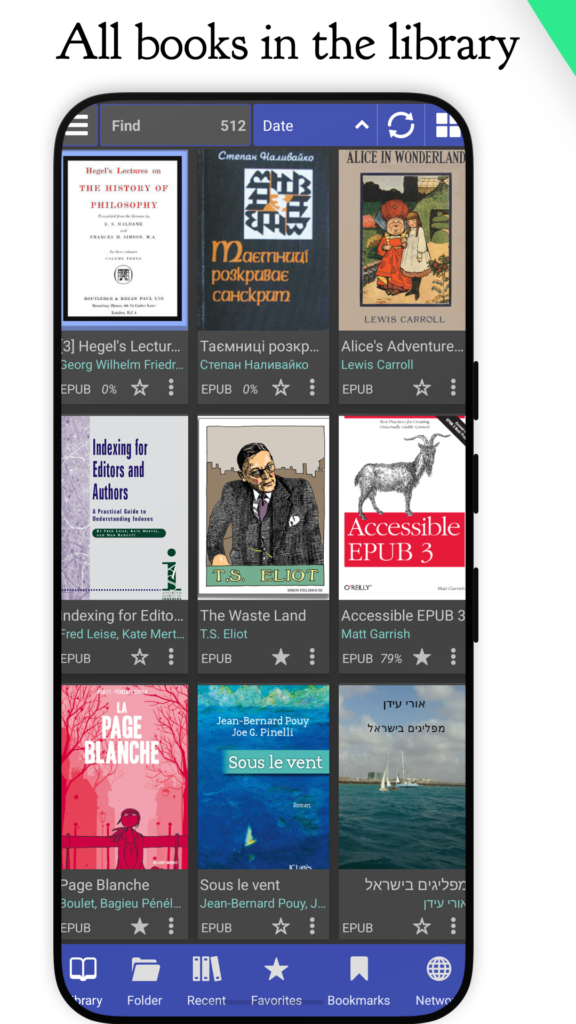
Librera Reader is a highly customizable and feature-rich application for reading e-books in PDF, EPUB, MOBI, DjVu, FB2, TXT, RTF, AZW, AZW3, HTML, CBZ, CBR, DOC, DOCX, formats. With its intuitive, yet powerful, interface, Librera makes ebook reading a veritable pleasure. It even features a unique auto-scrolling, hands-free Musician's mode, with controllable speed. F-Droid version is based on the latest MuPDF and support Android 4.1+. The only difference between Librera FD (F-Droid) and Librera PRO is the absence of Google Play services and Google Drive book synchronization in Librera FD. # Just a few Librera main features: * Easy document discovery by configurable criteria: * Auto-Scan (user-specified folders) * Browse folders (using an in-app file explorer) * Recent (featuring a reading-progress indicator) * Support for bookmarks, annotations, and EPUB3 tables of contents * Configurable Day and Night modes * Configurable link color (hence, footnotes and endnotes color) * Support for many popular offline dictionaries * Vertical-scroll lock * Auto- and…
Librera Reader APK was developed by Ivan Ivanenko and is available under the GPL-3.0-or-later open-source license. This means the source code is public and anyone can inspect it. If you like Ebook Reader apps, you can also browse more apps in this category.
Librera Reader APK Information
| App Name | Librera Reader |
| Package | com.foobnix.pro.pdf.reader |
| Version | 10.0.7-fdroid |
| Size | 120 MB |
| Requires | Android 7.0 and up |
| Category | Ebook Reader |
| Developer | Ivan Ivanenko |
| License | GPL-3.0-or-later |
| Source | F-Droid |
| Last Updated | October 27, 2026 |
Download Librera Reader APK v10.0.7-fdroid
How to Install Librera Reader APK on Android
- Download the Librera Reader APK file using the button above.
- Open your phone Settings and allow “Install unknown apps” for your browser or file manager.
- Tap the downloaded APK file and press Install.
- After installation, open Librera Reader from your app drawer.
Why Download Librera Reader APK from Here?
We link Librera Reader APK directly from F-Droid, so the file is original and we make no changes to it. Whenever a new version is released, this page is updated automatically, so you always get the latest Librera Reader APK.
Frequently Asked Questions
Is Librera Reader APK free?
Yes, Librera Reader APK is free and available under the GPL-3.0-or-later open-source license.
Is Librera Reader APK safe?
This file comes from the official F-Droid repository, where apps are open source and their source code is public. Still, always check an app’s permissions before installing it.
Which Android version does Librera Reader APK need?
Librera Reader APK requires Android 7.0 and up to run.
What is the latest version of Librera Reader APK?
The latest version is 10.0.7-fdroid, updated on October 27, 2026.
Official page: Librera Reader official website / source