CimBar Scanner APK Download v0.14.0 (Latest Version) for Android
⬇ Download APK v0.14.0The CimBar Scanner APK is a unique application that facilitates the transfer of files and text using animated color barcodes. It allows users to share information without needing an internet connection, creating an innovative way to communicate.
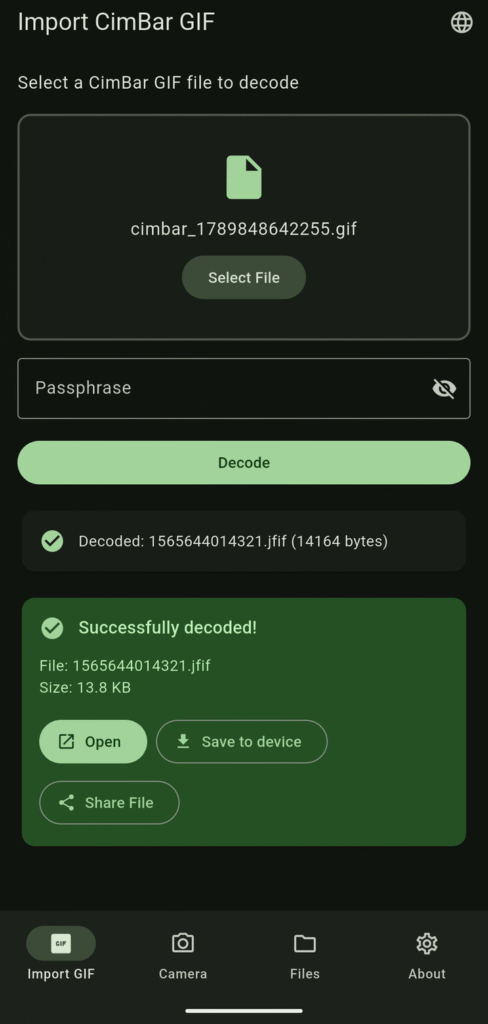
Table of Contents
About CimBar Scanner APK
CimBar Scanner is designed to send and receive files and text messages through animated barcodes, known as CimBar barcodes. This innovative approach allows users to bypass the need for an internet connection, making it particularly useful in areas with limited network access. By utilizing vibrant, animated images composed of colorful tiles, the app transforms the file transferring process into an engaging experience.
Users can easily encode messages and files into a CimBar barcode directly within the app or by using a complementary web application. The simplicity of this process allows anyone to generate a barcode from their device, then transmit it by displaying it on their screen. Whether sharing an important document or a quick text, this app ensures a straightforward and efficient transfer method, appealing to both casual users and those needing secure, offline communication.
CimBar Scanner excels in its ability to operate without any external servers or accounts. The encoding and decoding processes occur completely on the user’s device, safeguarding privacy and simplicity. The app caters to anyone searching for a new way to share information, particularly those curious about methods for sharing files without traditional transfer protocols. Its offline capabilities make it ideal for use in various environments where internet access may be unreliable.
Key Features of CimBar Scanner APK
- The Send tab in the app allows users to seamlessly type messages or select files to encode, providing the option to add a passphrase for additional security.
- Once encoded, users can present the barcode on their screen in full view which remains bright, ensuring the visibility of the barcode for optimal scanning.
- For those who prefer sharing barcodes instantly, the app supports exporting the animations as an animated GIF, making sharing even more convenient.
- When receiving messages or files, the app lets users view received text directly in the interface, making it easy to copy, share, or save this information.
- CimBar Scanner offers a live scan function, enabling real-time focus and exposure adjustments while capturing barcodes for maximum accuracy in file transfers.
- Additionally, users can take photos of single-frame barcodes or import GIFs, providing flexibility in various scenarios of receiving encoded messages.
CimBar Scanner APK Information
| App Name | CimBar Scanner |
| Package | com.nfcarchiver.cimbar |
| Version | 0.14.0 |
| Size | 21 MB |
| Requires | Android 7.0 and up |
| Category | File Encryption & Vault |
| Developer | mezinster |
| License | MIT |
| Source | F-Droid |
| Last Updated | November 20, 2026 |
Download CimBar Scanner APK v0.14.0
How to Install CimBar Scanner APK on Android
- Download the CimBar Scanner APK from a trusted source.
- Go to your device settings and allow installs from unknown sources for the installation process.
- Tap on the downloaded file to initiate the installation.
- Once installed, open the app to start encoding messages and files.
Pros and Cons
Pros
- Enables offline file and text sharing through innovative animated barcodes, ideal for users without internet access.
- The app prioritizes privacy by performing encoding and decoding entirely on the user’s device.
- Offers a user-friendly interface that makes it easy to send and receive messages and files.
Limitations
- Users may need to install the app manually, as it might not be available through traditional app stores.
- The app relies on visual scanning, which could be a limitation in bright or busy environments.
Who Is This App For?
CimBar Scanner is well-suited for individuals looking to share files and messages securely and offline, including tech-savvy users and those working in areas with poor network connectivity.
Looking for similar apps? Browse more File Encryption & Vault apps or see all Android apps on APK2GO.
Frequently Asked Questions
What does the CimBar Scanner app do?
CimBar Scanner allows users to send and receive files and text messages by converting them into vibrant, animated CimBar barcodes. This unique method enables offline communication without the need for internet connectivity.
Is the CimBar Scanner app free to use?
Yes, the app is freely available to download and use. Users can access the functionalities without any subscription fees or hidden charges.
Is my data safe while using CimBar Scanner?
Your data safety is enhanced as the app processes everything locally on your device without using external servers or requiring an account, giving you greater control over your information.
How do I create a barcode in the app?
To create a barcode, simply go to the Send tab, type your message or select a file, and follow the prompts to generate and display the barcode on your screen.
Can I share multiple files at once using CimBar Scanner?
While CimBar Scanner is designed for single file transfers, users can easily encode different files separately and share each as needed using the animated barcodes generated.
Official page: CimBar Scanner official website / source