
DNS Toggle APK Download v3.0.6 (Latest Version) for Android
⬇ Download APK v3.0.6The latest version of DNS Toggle APK (v3.0.6) is available to download. Easily toggle and automate Private DNS through the Quick Settings panel. This app works on Android phones and tablets.
About DNS Toggle APK
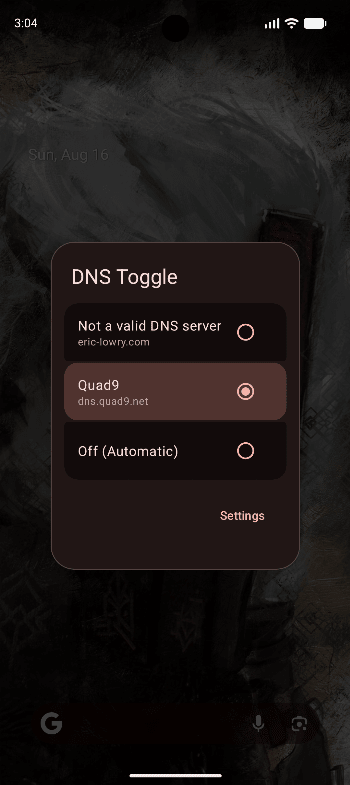
DNS Toggle is a small Android app that allows you to easily toggle and automate your phone's Private DNS through the Quick Settings panel. IMPORTANT:To modify Private DNS system settings, this app requires the WRITE_SECURE_SETTINGS permission. You must either have a rooted device, use Shizuku, or manually grant it via ADB: adb shell pm grant com.ericlowry.dnstoggle android.permission.WRITE_SECURE_SETTINGS Features Quick Settings Tile: Toggle Private DNS on/off directly from the Quick Settings panel. Custom DNS Providers: Define one or more preferred hostnames (e.g., dns.nextdns.io) and seamlessly switch between them. Wi-Fi Filtering: Automatically disable Private DNS when connected to specific Wi-Fi networks. Automatic Blocking: Automatically blacklists the current Wi-Fi SSID when Private DNS causes connectivity issues. VPN Override: Automatically enforce a specific DNS hostname or disable Private DNS entirely whenever a VPN is active on your device. Backup & Restore: Export and import your configuration via password-encrypted files. Dynamic Tile Labeling: Rename the Quick Settings tile. Hide App Icon: Keep your home screen clean while…
DNS Toggle APK was developed by Eric Lowry and is available under the MIT open-source license. This means the source code is public and anyone can inspect it. If you like Security apps, you can also browse more apps in this category.
DNS Toggle APK Information
| App Name | DNS Toggle |
| Package | com.ericlowry.dnstoggle |
| Version | 3.0.6 |
| Size | 2 MB |
| Requires | Android 9 and up |
| Category | Security |
| Developer | Eric Lowry |
| License | MIT |
| Source | IzzyOnDroid |
| Last Updated | October 25, 2026 |
Download DNS Toggle APK v3.0.6
How to Install DNS Toggle APK on Android
- Download the DNS Toggle APK file using the button above.
- Open your phone Settings and allow “Install unknown apps” for your browser or file manager.
- Tap the downloaded APK file and press Install.
- After installation, open DNS Toggle from your app drawer.
Why Download DNS Toggle APK from Here?
We link DNS Toggle APK directly from IzzyOnDroid, so the file is original and we make no changes to it. Whenever a new version is released, this page is updated automatically, so you always get the latest DNS Toggle APK.
Frequently Asked Questions
Is DNS Toggle APK free?
Yes, DNS Toggle APK is free and available under the MIT open-source license.
Is DNS Toggle APK safe?
This file comes from the IzzyOnDroid repository, where APKs are taken from the developers' official repositories. Still, always check an app’s permissions before installing it.
Which Android version does DNS Toggle APK need?
DNS Toggle APK requires Android 9 and up to run.
What is the latest version of DNS Toggle APK?
The latest version is 3.0.6, updated on October 25, 2026.
Official page: DNS Toggle official website / source