
Memories: Photo Management for Nextcloud APK Download v1.18 (Latest Version) for Android
⬇ Download APK v1.18Memories: Photo Management for Nextcloud APK is a cutting-edge tool designed for seamless photo organization. It allows users to manage their images and videos efficiently within the Nextcloud ecosystem, combining modern capabilities with user-friendly functionality.
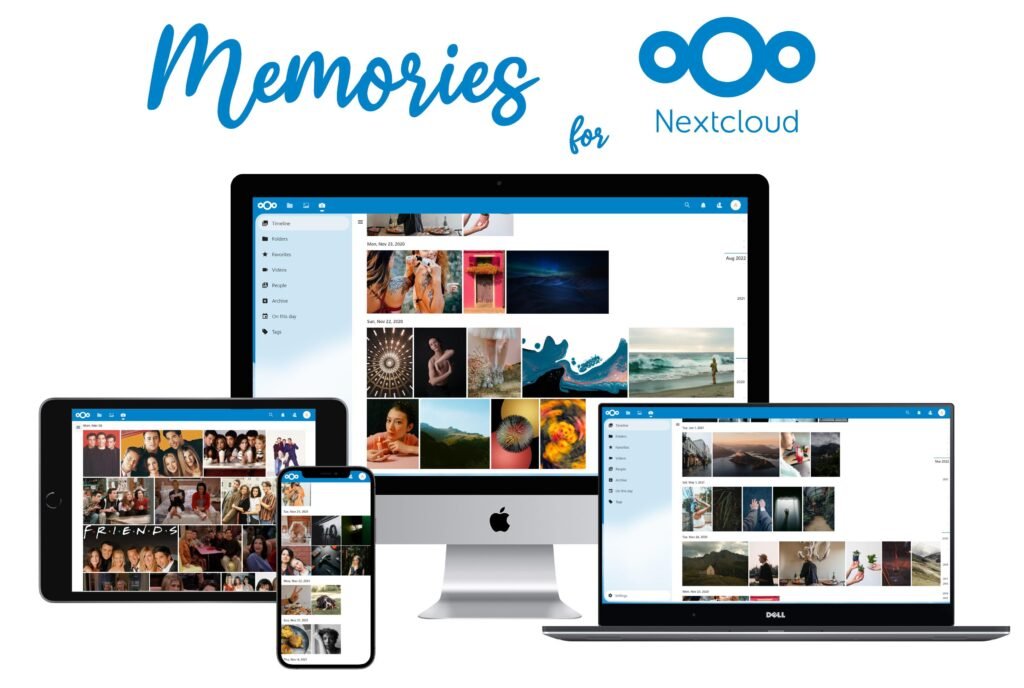
Table of Contents
About Memories: Photo Management for Nextcloud APK
This app serves as a sophisticated solution for those looking to manage their photo collections more effectively. By integrating with Nextcloud, it allows for the organization of images and videos based on timestamps, thanks to its capability to parse Exif data. Users can easily navigate their memories by date, making reminiscing simple and enjoyable.
Memories is designed to enhance the way users interact with their visual content. It incorporates advanced features such as AI tagging to automatically group photos based on recognizable people and objects. This means users can find specific images quickly without sifting through endless galleries, making it ideal for anyone with extensive media libraries.
Whether you want to create custom albums for sharing or utilize external sharing options for connecting with friends and family, the app provides versatile solutions. It supports mobile use across different devices, ensuring that users can access and manage their collections from anywhere, making photo management straightforward and convenient.
Key Features of Memories: Photo Management for Nextcloud APK
- The app provides a timeline view, allowing users to sort their photos and videos chronologically based on the date they were captured, as derived from the Exif metadata.
- Users can take advantage of the rewind feature, which lets them jump back in time to relive memories from any chosen date with just a few taps.
- AI tagging functionality enables the automatic grouping of photos based on the faces and objects detected in the images, streamlining the organization process significantly.
- Albums can be created to cluster related photos and videos together, facilitating easy sharing with family and friends, enhancing the communal experience of reliving memories.
- With features for mobile support, the app ensures users can access their photo collections from any device, whether it's a phone, tablet, or computer, via the web app.
- Editing metadata is simplified, enabling users to adjust important details such as dates and information en masse, which can save considerable time for those managing vast photo collections.
Memories: Photo Management for Nextcloud APK Information
| App Name | Memories: Photo Management for Nextcloud |
| Package | gallery.memories |
| Version | 1.18 |
| Size | 5 MB |
| Requires | Android 12 and up |
| Category | Gallery |
| Developer | Varun Patil |
| License | AGPL-3.0-only |
| Source | F-Droid |
| Last Updated | November 9, 2026 |
Download Memories: Photo Management for Nextcloud APK v1.18
How to Install Memories: Photo Management for Nextcloud APK on Android
- Download the Memories: Photo Management for Nextcloud APK file from a trusted source.
- Before installation, ensure that your device allows installations from unknown sources in the settings.
- Tap on the downloaded APK file to begin the installation process.
- Once installed, open the app and configure it to start managing your photos.
Pros and Cons
Pros
- Offers a modern interface that makes photo management fast and effortless.
- Advanced features such as AI tagging save users time when sorting through extensive photo libraries.
- Easily integrated into the Nextcloud ecosystem, facilitating seamless sharing and archiving options.
- Supports external sharing so users can include friends and family who may not be using Nextcloud.
Limitations
- Requires sideloading, which may be less convenient for users unfamiliar with installing apps outside the official app store.
- Limited dependence on robust internet connectivity for features such as video transcoding and external sharing.
- Potential reliance on manual updates, as it may not always automatically receive the latest features and security enhancements.
Who Is This App For?
This app is perfect for individuals and families looking for an advanced yet intuitive way to manage their photo collections, particularly those already invested in the Nextcloud ecosystem.
Looking for similar apps? Browse more Gallery apps or see all Android apps on APK2GO.
Frequently Asked Questions
What features does the app offer?
The app includes a timeline for sorting media, AI tagging for photo organization, album creation, and external sharing, among other features aimed at simplifying photo management.
Is the Memories app free to use?
Yes, the app is licensed under AGPL-3.0-only, allowing users to utilize it without any associated costs, while also providing access to updates through its source repository.
How safe is the Memories app?
The safety of the app depends on where it is downloaded from. Users should install the app from trusted sources, like F-Droid, to ensure security and privacy.
Can I share my photos with people not using Nextcloud?
Yes, the app allows for external sharing, meaning users can share selected photos and videos with those who do not have a Nextcloud account, broadening the sharing capabilities.
How do I migrate my photos from other platforms?
The app offers a simple migration process from Nextcloud Photos and Google Takeout, making it easier for users to transition their existing photo libraries without hassle.
Official page: Memories: Photo Management for Nextcloud official website / source