Simple Text Editor APK Download v1.31.3 (Latest Version) for Android
⬇ Download APK v1.31.3The Simple Text Editor APK is an intuitive tool designed for anyone looking to edit text files easily. This app serves as a straightforward solution for note-taking, idea jotting, and more, making it a useful companion for those who frequently work with plain text content.
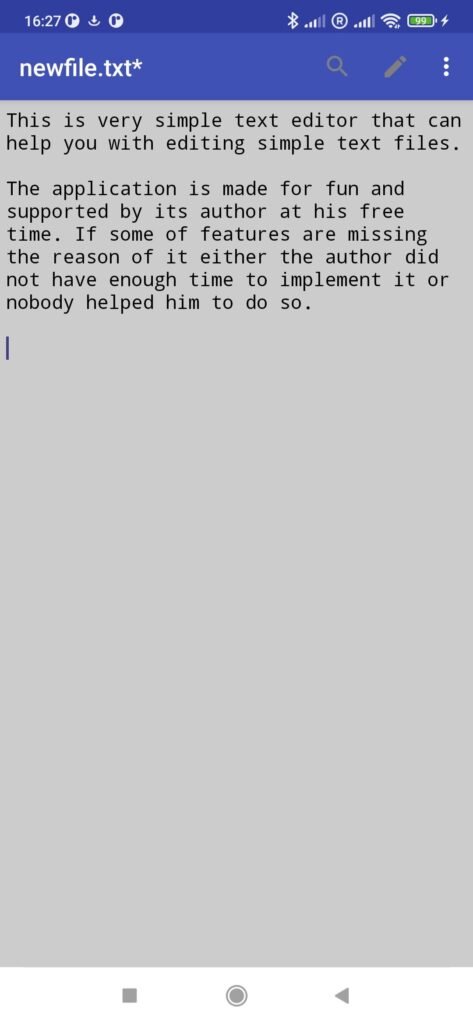
Table of Contents
About Simple Text Editor APK
Simple Text Editor is crafted to assist users in managing their plain text files effortlessly. Its minimalist design allows for easy navigation, ensuring that writing and editing can be done without unnecessary distractions. The app is ideally suited for individuals who need a convenient platform to jot down notes or brainstorm ideas during breaks.
What sets this text editor apart is its commitment to simplicity; it currently supports only plain text, making it lightweight and quick to use. Users can focus on their writing without worrying about complex formatting or unnecessary features. This makes it an excellent choice for anyone who prefers a no-frills, straightforward text editing experience.
The app is open-source, allowing for community contributions in terms of new features, translations, or code improvements. This open model not only fosters collaboration but also encourages users to engage with the project, which can lead to a better overall experience for everyone involved.
Key Features of Simple Text Editor APK
- This editor is specifically designed for editing plain text files, ensuring that users have a dedicated platform for simple text manipulation.
- It excels particularly in jotting down quick notes and brainstorming ideas, making it a practical tool for those requiring instant access to a writing space.
- The app's open-source nature means that anyone can review its code, making it transparent and trustworthy for users concerned about software integrity.
- With its user-friendly interface, navigating through options is streamlined, giving users a clean environment for focused writing or note-taking.
- Community involvement is encouraged; users can suggest new features or improvements, fostering a collaborative atmosphere.
- Simple Text Editor is available through the F-Droid platform, allowing users to download and install it easily, although they must enable unknown sources in their settings.
Simple Text Editor APK Information
| App Name | Simple Text Editor |
| Package | com.maxistar.textpad |
| Version | 1.31.3 |
| Size | 2 MB |
| Requires | Android 5.0 and up |
| Category | Development |
| Developer | Maxim Starikov |
| License | GPL-3.0-or-later |
| Source | F-Droid |
| Last Updated | November 13, 2026 |
Download Simple Text Editor APK v1.31.3
How to Install Simple Text Editor APK on Android
- Download the Simple Text Editor APK from the F-Droid repository.
- Allow installations from unknown sources in your Android device settings.
- Tap the downloaded APK file to begin the installation process.
- Follow the prompts to install the app on your device.
- Once installed, open the app from your app drawer to start using it.
Pros and Cons
Pros
- The app is straightforward and easy to use, making it suitable for quick edits and note-taking.
- It is open-source, which promotes transparency and allows users to contribute to its development.
- Being lightweight, it requires minimal storage space and runs efficiently on a variety of devices.
Limitations
- Limited to plain text editing, which may not meet the needs of users looking for more complex functionalities.
- Updates must be handled manually since it's not available on mainstream app stores.
- As an open-source project, its features may depend heavily on community contributions.
Who Is This App For?
The app is perfect for individuals looking for a simple text editing solution, such as students, writers, and professionals who need to take notes or jot down ideas quickly.
Looking for similar apps? Browse more Development apps or see all Android apps on APK2GO.
Frequently Asked Questions
What is Simple Text Editor used for?
Simple Text Editor is designed for editing plain text files. It's ideal for taking notes, drafting ideas, or doing any writing that doesn't require complex formatting.
Is it free to use?
Yes, the app is entirely free to download and use. Being open-source, it allows users to access and contribute to the project without any cost.
Where can I download the app?
You can download Simple Text Editor from the F-Droid repository. Make sure to enable installations from unknown sources in your device settings to install it.
Is Simple Text Editor safe to use?
The app is open-source, which means its code is publicly available for review. This transparency typically enhances its safety, but users should ensure they download it from trusted sources.
How can I contribute to the app?
You can contribute by reviewing the code, suggesting new features, or even helping with translations on its GitHub page. The project welcomes community involvement to improve the app.
Official page: Simple Text Editor official website / source