
Cryptomator APK Download v2.1.0 (Latest Version) for Android
⬇ Download APK v2.1.0The Cryptomator APK offers users a way to secure their cloud storage with ease, putting the control of data safety directly in their hands. This app provides the essential tools needed to ensure your sensitive information remains protected while stored online.
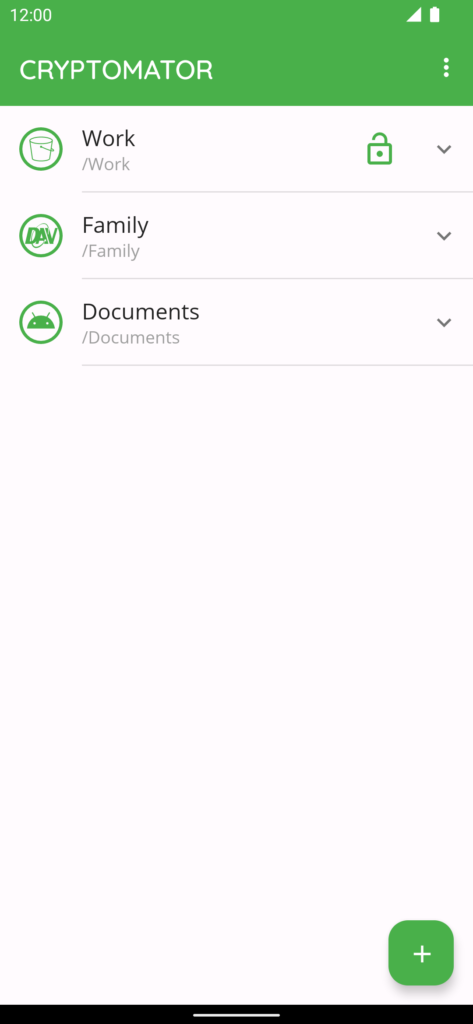
Table of Contents
About Cryptomator APK
Cryptomator is a powerful tool designed for users looking to enhance the security of their cloud-based data. It enables you to encrypt files effortlessly and, once secured, upload them to your preferred cloud service. By using this app, you take charge of your data's safety instead of relying solely on hosting providers.
This application is perfect for anyone concerned about their privacy and data security in the cloud. It allows you to create a vault for your files, safeguarded by a strong password and biometric access options like fingerprint unlocking. The user-friendly design ensures that even those with limited technical skills can easily secure their data.
Cryptomator's compatibility with multiple cloud storage options makes it a versatile choice for various users. Whether you prefer more conventional cloud storage solutions or unique third-party sync apps, this app can easily integrate with your existing setup. By facilitating access across devices, it ensures that your data is available whenever you need it.
Key Features of Cryptomator APK
- Users can create secure vaults by setting a password, ensuring unauthorized access is prevented without complicated setup processes.
- The app allows for fingerprint unlock, adding an extra layer of convenience and security for accessing encrypted files.
- By supporting both S3 and WebDAV-based cloud services, it caters to a wide range of popular cloud storage solutions.
- As an open-source application, Cryptomator allows anyone to review its source code, enhancing transparency and trust among users.
- The app employs AES for file content and filename encryption, coupled with a robust 256-bit key length, ensuring top-notch data protection.
- For added security, the vault password benefits from scrypt technology, which strengthens resistance against brute-force attack methods.
Cryptomator APK Information
| App Name | Cryptomator |
| Package | org.cryptomator.lite |
| Version | 2.1.0 |
| Size | 21 MB |
| Requires | Android 8.0 and up |
| Category | Cloud Storage & File Sync |
| Developer | Skymatic GmbH |
| License | GPL-3.0-only |
| Source | F-Droid |
| Last Updated | October 29, 2026 |
Download Cryptomator APK v2.1.0
How to Install Cryptomator APK on Android
- First, download the Cryptomator APK from a reputable source.
- Enable installations from unknown sources in your Android settings if prompted.
- Navigate to your downloads and tap the Cryptomator APK file to begin the installation process.
- Once installed, open the app and start creating your secure vaults.
Pros and Cons
Pros
- Cryptomator offers intuitive functionality that allows users to quickly and easily encrypt data.
- It supports an extensive range of cloud storage services, ensuring flexibility.
- The application is open source, promoting transparency and community trust.
- Strong encryption standards protect sensitive information securely and efficiently.
Limitations
- Users need a license key for full access to features, which may be a hurdle for some.
- Installation may involve sideloading, requiring manual updates outside of the standard app store.
- The app's reliance on manual configurations for different cloud services may present challenges for less tech-savvy users.
Who Is This App For?
Cryptomator is ideal for individuals who prioritize data security and require a reliable method to protect sensitive files stored in the cloud. It is suitable for both personal and professional users who manage confidential information.
Looking for similar apps? Browse more Cloud Storage & File Sync apps or see all Android apps on APK2GO.
Frequently Asked Questions
What does Cryptomator do?
Cryptomator is an encryption tool designed to secure your cloud data. It allows users to create encrypted vaults where they can store files securely before uploading them to cloud services.
Is Cryptomator free?
The application itself requires a license key for full functionality, which can be obtained from their official website. However, options might be available for trial usage.
Is my data safe with Cryptomator?
Yes, the app utilizes strong encryption techniques such as AES with a 256-bit key, making your files resistant to unauthorized access and attacks.
Where can I get the Cryptomator APK?
You can download the Cryptomator APK from authorized sources like F-Droid or directly from the official Cryptomator website for secure access.
How do I use Cryptomator effectively?
To maximize your usage, create vaults for different projects or file types and use strong, unique passwords for each vault. Accessibility across devices ensures convenient data management.
Official page: Cryptomator official website / source