
Acode IDE: Terminal & AI Code APK Download v1.13.5 (Latest Version) for Android
⬇ Download APK v1.13.5Acode IDE: Terminal & AI Code APK is a powerful tool designed for coding enthusiasts and developers on Android devices. This open-source code editor combines various features such as Linux terminal support, Git integration, and AI-powered coding assistance, making it an invaluable asset for programming on the go.
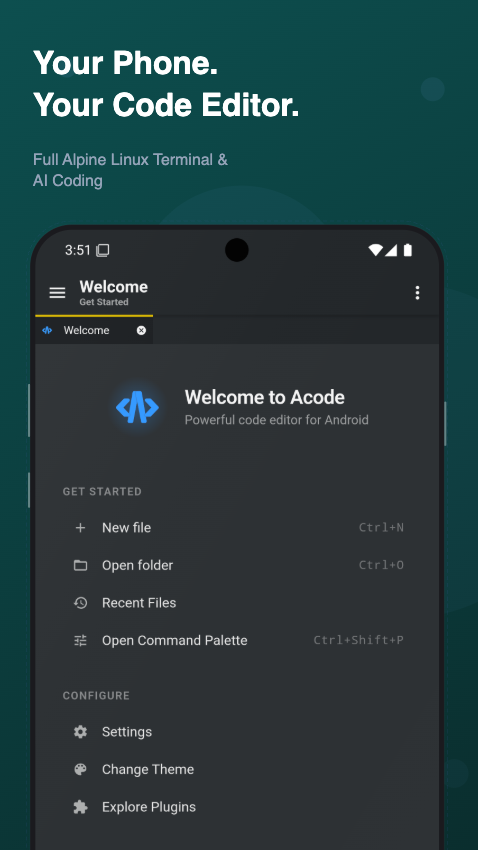
Table of Contents
About Acode IDE: Terminal & AI Code APK
Acode serves as a comprehensive code editor and web IDE optimized for Android. It allows users to edit projects, manage files effortlessly, and utilize a Linux terminal without requiring any root privileges. You can engage in web development and coding directly from your mobile device, providing flexibility for developers who need to work remotely or in various environments.
The app is particularly useful for JavaScript and web development, enabling users to create mobile web projects with tools like Node.js and npm. Additionally, it facilitates the building of APIs using server-side JavaScript, as well as easy previewing of HTML and Markdown. This functionality brings the full capability of web programming to Android devices, enhancing productivity.
Acode is tailored for both novice and experienced developers, featuring powerful tools like code completion and IntelliSense through LSP plugins. It supports over 100 programming languages, so users can dive into various projects without constraints. With built-in plugins and customizable options, users can adapt the app to meet their specific coding needs, enabling an efficient coding experience.
Key Features of Acode IDE: Terminal & AI Code APK
- Utilizing the app's integrated Alpine Linux terminal powered by proot allows you to execute command-line commands conveniently from your mobile device without requiring root access.
- It supports multi-file editing through tabs, making it easier to navigate between different files and streamline your coding workflow.
- With a command palette accessible by shortcut, users can execute commands quickly, enhancing productivity during development processes.
- The app features robust syntax highlighting for over 100 programming languages, improving code readability and making debugging more manageable.
- It comes with Emmet support, which helps coders write HTML and CSS more rapidly, facilitating a faster coding experience.
- The plugin ecosystem further extends the app's functionality, enabling users to incorporate AI-assisted coding tools for generating code and debugging errors with ease.
Acode IDE: Terminal & AI Code APK Information
| App Name | Acode IDE: Terminal & AI Code |
| Package | com.foxdebug.acode |
| Version | 1.13.5 |
| Size | 17 MB |
| Requires | Android 8.0 and up |
| Category | Development |
| Developer | Foxdebug (Ajit Kumar) |
| License | MIT |
| Source | F-Droid |
| Last Updated | November 20, 2026 |
Download Acode IDE: Terminal & AI Code APK v1.13.5
How to Install Acode IDE: Terminal & AI Code APK on Android
- Download the Acode IDE: Terminal & AI Code APK file from a trusted source like F-Droid.
- Go to your device settings and allow installations from unknown sources to enable the installation process.
- Tap on the downloaded APK file to initiate the installation.
- Once installed, open the app and start exploring its features.
Pros and Cons
Pros
- The app's open-source nature encourages a community-driven approach, allowing for continuous improvements and features.
- Its versatile functionality covers multiple languages and frameworks, making it suitable for different types of development.
- The integration of AI tools assists in coding and debugging, offering significant support during development tasks.
Limitations
- Users might have to manually update the app since it is not available on traditional app stores.
- The reliance on plugins may require additional downloads, which could be a minor inconvenience for some users.
Who Is This App For?
This app is ideal for developers and programmers who need a robust coding environment on their Android devices. It caters to both beginners and advanced users looking for flexibility in their coding tools.
Looking for similar apps? Browse more Development apps or see all Android apps on APK2GO.
Frequently Asked Questions
What is Acode IDE used for?
Acode IDE is a code editor and web IDE designed for Android, allowing users to edit projects, manage files, and develop applications directly from their mobile devices.
Is Acode IDE free to use?
Yes, this app is open-source and free to use, making it accessible for anyone interested in coding on their Android devices.
Is Acode safe to install?
Acode IDE comes from a verified source on F-Droid and is open-source, which generally means it has been reviewed and is safe to use. Always ensure to download from trusted sites.
How does AI coding support work in Acode IDE?
The app leverages AI-assisted tools to help users generate code, provide explanations, and detect code errors, significantly easing the coding process.
Can Acode IDE be used for web development?
Absolutely! Acode IDE supports web development with features for JavaScript, HTML, and CSS, making it a great choice for mobile web projects.
Official page: Acode IDE: Terminal & AI Code official website / source