
Cookie Extractor APK Download v1.2.0 (Latest Version) for Android
⬇ Download APK v1.2.0The Cookie Extractor APK is an innovative app designed for developers who need to extract session cookies after manually logging into websites. This tool helps streamline the process of inspecting and verifying session information effectively.
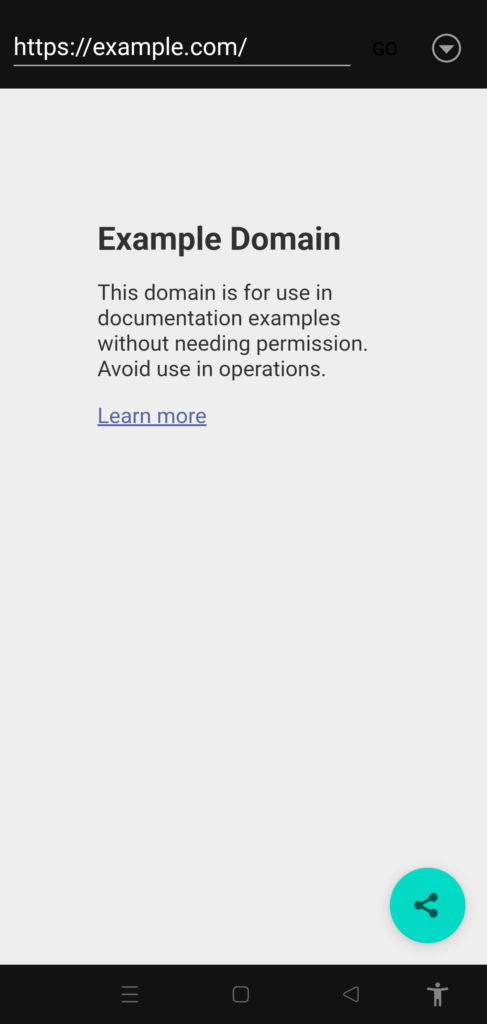
Table of Contents
About Cookie Extractor APK
Cookie Extractor serves as a crucial tool for developers needing to manage session cookies efficiently. By allowing users to log in manually, much like they would in a typical browser, it offers a user-friendly approach to fetching authenticated session cookies. This functionality becomes essential in environments where automation is hindered by security measures such as two-factor authentication or interactive challenges.
The application is equipped with a built-in browser and an address bar, enabling users to navigate web pages seamlessly. This feature serves as a bridge for logging in with various methods, including passwords, one-time passwords (OTP), or Single Sign-On (SSO) redirects. It is important to note that some third-party authentication methods might not be compatible due to Android's privilege model, which the app’s documentation clarifies.
In addition to extracting session data, Cookie Extractor simplifies sharing this information by utilizing a template. This allows users to conveniently generate text for curl commands or scripts, complete with placeholders for easy input. The app also includes a session monitor that can send native notifications when a login session is about to expire, making it an invaluable asset for managing persistent authenticated sessions.
Key Features of Cookie Extractor APK
- The app features a headless automation approach that allows users to log in manually, circumventing obstacles typically presented by 2FA QR codes and anti-bot measures.
- With an in-app WebView and address bar, users can log into various services securely, utilizing traditional login methods alongside two-factor or one-time password systems.
- The app captures non-http OAuth redirects before any errors can interrupt the process, preserving authorization codes for seamless sharing.
- Its built-in share template allows users to create shareable text with a live preview, including dynamic placeholders for specific session details.
- Users can bookmark login pages with add-by-URL functionality, enabling the app to remember what they typed instead of merely following redirects.
- The session monitor warns users via notifications when their login session expires, allowing them to stay informed and maintain access without unnecessary interruptions.
Cookie Extractor APK Information
| App Name | Cookie Extractor |
| Package | com.cookiesextractor.app |
| Version | 1.2.0 |
| Size | 5 MB |
| Requires | Android 7.0 and up |
| Category | Development |
| Developer | Paolo Antinori |
| License | Apache-2.0 |
| Source | F-Droid |
| Last Updated | October 31, 2026 |
Download Cookie Extractor APK v1.2.0
How to Install Cookie Extractor APK on Android
- Download the Cookie Extractor APK file from a trusted source like F-Droid.
- Before installation, ensure that your device allows installations from unknown sources through the device settings.
- Locate the downloaded APK file in your device's file manager and tap on it to begin the installation process.
- Once the installation is complete, open the app and follow the on-screen instructions to start using it.
Pros and Cons
Pros
- The app provides a straightforward way to extract session cookies after manual logins, making it accessible for users unfamiliar with complex automation.
- With its variety of login support methods, the app is versatile and adaptable to different web services, enhancing its usability.
- Users can share session data quickly through the integrated share template, which enhances productivity and facilitates script creation.
Limitations
- The app requires sideloading from an external source, which can be a limitation for users unfamiliar with this process.
- Some users may find the necessity to log in manually cumbersome, especially if they are accustomed to fully automated workflows.
Who Is This App For?
This app is ideally suited for developers or tech-savvy users who frequently engage with web applications and need to manage session cookies for testing or scraping purposes.
Looking for similar apps? Browse more Development apps or see all Android apps on APK2GO.
Frequently Asked Questions
What does Cookie Extractor do?
Cookie Extractor allows users to manually log into websites and extract session cookies, facilitating debugging, testing, or other development tasks that require authenticated sessions.
Is Cookie Extractor free to use?
Yes, the application is available for free, typically hosted on platforms such as F-Droid, where you can download the APK file without any charges.
Is Cookie Extractor safe to use?
As long as you download it from a trusted source like F-Droid, the app is generally considered safe. However, always review permissions and settings to ensure your privacy and security.
How can I use Cookie Extractor effectively?
To use the app effectively, log in to your desired website manually and utilize the app to extract cookies. Then, use the generated data for your scripts or development projects.
Can I use it for all websites?
While Cookie Extractor supports many websites, certain platforms that employ advanced security measures may not be compatible or may require specific adjustments.
Official page: Cookie Extractor official website / source