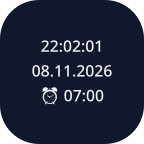
SecondsClock APK Download v2.7.1 (Latest Version) for Android
⬇ Download APK v2.7.1The SecondsClock APK provides users with a simple yet effective way to display the time with precision down to the second. This application is tailored for those who prefer a detailed clock presentation, either on their home screen or as a full-screen display for nighttime use.
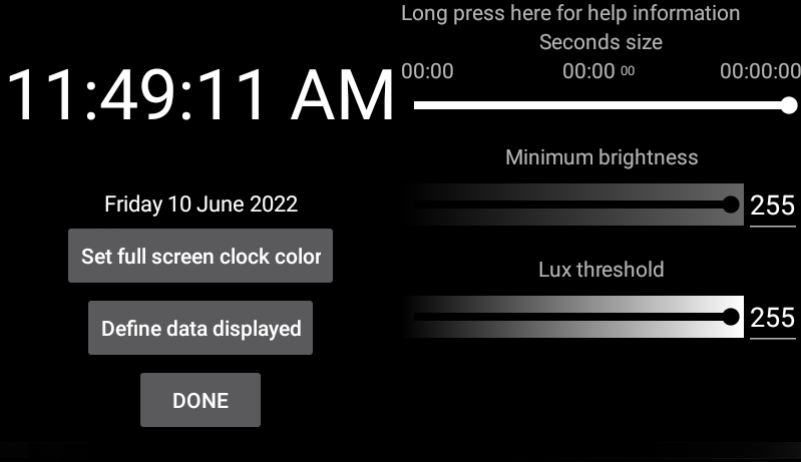
Table of Contents
About SecondsClock APK
SecondsClock is a clock application designed to enhance your timekeeping experience by displaying seconds on a home screen widget or in fullscreen mode. This app caters to individuals who require precise time readability, making it invaluable for various scenarios such as timed activities or presentations. Its visual clarity and customizable features allow users to tailor the display to their preferences.
The app stands out due to its simplicity and user-friendly interface. Users can easily configure settings to adjust text size, ensuring the clock fits perfectly within the available space on their devices. Whether you need it for everyday use or as a reliable night clock with dimming options, this app offers versatile functionality.
One of the most appealing aspects of SecondsClock is its commitment to an ad-free experience, allowing users to focus solely on the time without distractions. This makes it a favorable choice for anyone looking to have a straightforward and effective clock solution. The ability to customize various features further enhances its usability across different environments.
Key Features of SecondsClock APK
- SecondsClock is completely free from advertisements, ensuring a seamless and uninterrupted user experience.
- The app does not solicit donations or in-app purchases, allowing users to access all its features without any financial obligations.
- Users can fully customize the clock appearance, adjusting settings to meet their specific aesthetic and functional preferences.
- Text size within the app dynamically adjusts to make optimal use of the available space on your device's display.
- It boasts a full-screen mode that's particularly useful as a night clock, featuring dimming for low-light conditions.
- With a straightforward interface, the app allows users to easily toggle between widget and fullscreen viewing options.
SecondsClock APK Information
| App Name | SecondsClock |
| Package | uk.co.yahoo.p1rpp.secondsclock |
| Version | 2.7.1 |
| Size | 3 MB |
| Requires | Android 8.0 and up |
| Category | Clock |
| Developer | N/A |
| License | GPL-3.0-or-later |
| Source | F-Droid |
| Last Updated | November 20, 2026 |
Download SecondsClock APK v2.7.1
How to Install SecondsClock APK on Android
- Download the SecondsClock APK file from a reliable source such as F-Droid.
- Before installation, ensure your device allows installs from unknown sources in the settings.
- Once downloaded, locate the file in your device's Downloads folder and tap on it to begin installation.
- Follow any on-screen prompts to complete the installation process.
- After installation, open the app to start configuring your clock display.
Pros and Cons
Pros
- Ad-free experience enhances usability without distractions.
- Customizable features allow for a personalized clock display.
- Dynamic text size adjustment maximizes readability based on screen space.
Limitations
- The app requires sideloading since it may not be available on the Google Play Store.
- Updates must be manually checked and downloaded from the source repository.
- Without in-app support for donations, there may be limited long-term development or support features.
Who Is This App For?
This app is ideal for users who prioritize precise timekeeping and enjoy having a clock that prominently displays seconds. It suits those looking for a straightforward yet functional clock app for both daily and nighttime use.
Looking for similar apps? Browse more Clock apps or see all Android apps on APK2GO.
Frequently Asked Questions
What does SecondsClock do?
SecondsClock is an app that provides a detailed clock display, showing seconds alongside hours and minutes, either on the home screen or in full-screen mode.
Is SecondsClock free to use?
Yes, SecondsClock is completely free to download and use, with no hidden fees or in-app purchases.
Where does the SecondsClock APK file come from?
The SecondsClock APK is available from F-Droid, a trusted source for open-source Android applications.
Is the app safe to use?
Yes, as a free, open-source application with no ads or in-app purchases, SecondsClock is safe to use and does not compromise your privacy.
How can I use the app as a night clock?
The app features a full-screen mode with a dimming option that makes it suitable for use at night, providing time visibility without being overly bright.
Official page: SecondsClock official website / source